
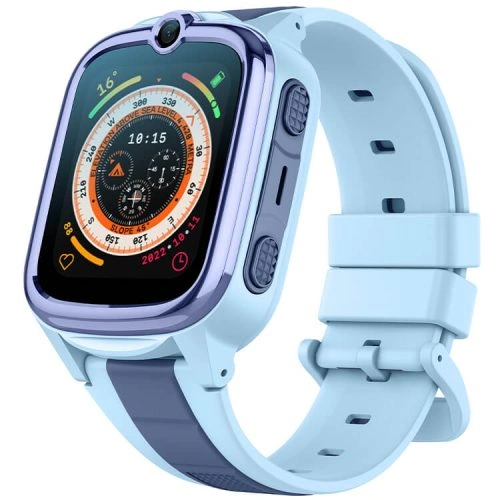
Kids smartwatch geofencing lets a parent create a virtual safe zone around places such as home, school or a relative’s house and receive an alert when the watch reports that it has crossed the boundary. It can be a useful way to reduce constant map-checking, but it works best when parents understand what the alert can — and cannot — guarantee.
What Is Kids Smartwatch Geofencing?
A geofence is a virtual boundary drawn around a real-world location. In a kids smartwatch app, the parent normally selects a point on a map and chooses a radius around it. The watch then compares its reported location with that boundary.
When the watch reports that it has moved across the boundary, the app can generate a notification. Common safe zones include:
- home;
- school;
- a grandparent’s house;
- an after-school activity centre;
- a regular sports facility;
- a neighbourhood play area.
How Geofencing Works With GPS Tracking
Geofencing depends on the watch’s location system. Outdoors, GPS can provide a useful position. Indoors, near tall buildings or under heavy cover, the watch may rely more on WiFi or mobile-network positioning.
GPS.gov notes that positioning accuracy can be affected by buildings, trees, signal blockage and receiver design. That matters because a geofence alert is only as precise as the location data available at that moment.
For a deeper explanation of GPS, AGPS, WiFi and LBS, read the REXQU Kids Smartwatch GPS Tracking Guide.
REXQU KidTrack Geofencing
The REXQU KidTrack is the lightest and lowest-priced model in REXQU’s kids range. Its parent app supports electronic-fence or safe-zone functions alongside location tracking, approved contacts and calling.
KidTrack is a practical choice when you want geofencing without putting a heavy watch on a smaller wrist. Comfort matters because the location and safe-zone functions are only useful while the child is actually wearing the watch.
REXQU KidView Geofencing and Route Playback
The REXQU KidView combines safe-zone alerts with route playback and a larger 1.83-inch display. It is designed as a simplified first connected watch, with a closed set of functions rather than an open app-store or browser experience.
KidView makes sense if you want both a larger child-facing screen and parent-facing location tools.
REXQU KidGuard Pro Geofencing
The REXQU KidGuard Pro has the most explicitly layered published location setup in the REXQU kids range, combining GPS, AGPS, WiFi and LBS/cell-tower positioning with geofence and route-history functions.
That makes it the strongest option when the safe-zone feature is part of a broader priority around location visibility, video check-ins and approved contacts.
Kids Smartwatch Geofencing Comparison
| Model | Safe-zone / location emphasis | Best for | View |
|---|---|---|---|
| KidTrack | Electronic-fence safe zones | Lightweight value | KidTrack → |
| KidView | Safe-zone alerts + route playback | Larger-screen first watch | KidView → |
| KidGuard Pro | Geofencing + GPS/AGPS/WiFi/LBS + route history | Location-first setup | KidGuard Pro → |
How to Set Up a Kids Smartwatch Safe Zone
The exact app screens differ by model, but the setup logic is generally similar:
- Open the parent app. Make sure the watch is online and recently synced.
- Open the map or location section.
- Select the safe-zone or electronic-fence option.
- Choose the centre point. Home or school is a sensible first test.
- Set the radius. Avoid making it unrealistically tight.
- Name the zone. “School” or “Home” is easier to understand in an alert.
- Save it and test it. Walk across the boundary intentionally with the watch.
How Large Should a Geofence Be?
A very small zone can create unnecessary alerts because location estimates naturally move around by several metres, especially indoors. A zone that is too large may be less useful because the child could travel a meaningful distance before crossing it.
The best radius depends on the location. A school campus may need a larger boundary than a single-family home. Start slightly wider than you think you need, test it, and then adjust based on how the watch behaves in that area.
Why Safe-Zone Alerts Can Be Delayed
A geofence does not necessarily trigger at the exact physical second a child steps across an invisible line. Delays can happen because:
- the watch is between location updates;
- GPS reception is weak;
- the child is indoors;
- mobile data is temporarily unavailable;
- the app is waiting for the next server sync;
- the phone has delayed push notifications.
This is why geofencing is best viewed as an awareness feature, not as a guaranteed instant security alarm.
Geofencing and Battery Life
Location tracking uses power. A watch configured for frequent updates can need charging more often than one that checks location less aggressively.
Parents should find a practical balance between visibility and battery life. A dead watch cannot provide a safe-zone alert, so the charging routine matters just as much as the geofence setting.
See the REXQU kids smartwatch battery-life guide for model-by-model differences.
Geofencing and the SIM Card
When the child is away from home WiFi, the watch normally needs mobile data to transmit its latest location and alerts to the parent app. That means an incompatible, inactive or poorly covered SIM can reduce the usefulness of geofencing even when the watch’s GPS receiver is working.
Before activating a watch, review the kids smartwatch SIM card guide.
Geofencing and Parental Controls Work Better Together
Location awareness is only one part of a child-focused watch. Approved contacts, SOS settings and communication controls matter too. A parent who receives a safe-zone alert should also know how to contact the child quickly through the watch.
That is why it is worth setting up kids smartwatch parental controls at the same time as geofences rather than treating the two features separately.
Safe-Zone Setup Checklist for Parents
- Start with only one or two important zones.
- Use a realistic radius rather than the smallest possible circle.
- Test each zone by intentionally crossing it.
- Check that push notifications are enabled on the parent phone.
- Confirm the watch has an active data connection.
- Teach the child what the alert means and what family rules apply.
- Review the zones if school routes or activities change.
- Keep the parent-app password private and secure.
Children’s Location Privacy Matters
A geofencing system necessarily handles a child’s location history. Parents should keep app credentials secure, limit access to trusted caregivers and review the permissions requested by the companion app.
The FTC’s children’s privacy resources provide useful background on connected products and children’s data.
Frequently Asked Questions About Kids Smartwatch Geofencing
Will I know immediately when my child leaves a safe zone?
Often the alert can arrive quickly, but it should not be treated as guaranteed to the exact second. Location and network conditions can create a delay.
Can I set more than one safe zone?
The companion apps are designed to support location zones around important places. The exact number and interface can vary by app version, so check the current app when setting up the watch.
Does geofencing work indoors?
It can still work, but the location may rely more on WiFi or cell-tower information because GPS is weaker inside buildings.
Does geofencing use a lot of battery?
Location updates consume more power than simple standby. More frequent tracking generally means more battery use.
Which REXQU kids smartwatch is best for geofencing?
All three models support parent-facing location features, but KidGuard Pro has the most explicitly layered positioning setup. KidTrack is attractive for lightweight value, while KidView combines safe zones with a larger screen and simple interface.
Bottom Line
Kids smartwatch geofencing can be genuinely useful when it is configured realistically and tested before you rely on it. Start with home and school, use sensible zone sizes, keep mobile data active and treat alerts as an additional layer of awareness rather than a replacement for supervision.
Compare all three watches in the Best Kids Smartwatch buying guide or browse the REXQU kids smartwatch collection.
Location accuracy and alert timing can vary with GPS visibility, buildings, mobile coverage, WiFi availability, mapping data and device connectivity. Geofencing is an awareness feature and is not a substitute for adult supervision or emergency services.