
For many parents, kids smartwatch GPS tracking is the main reason to buy the watch in the first place. The useful question is not simply whether a watch says “GPS” on the box. It is how the watch finds its location, how quickly that location reaches the parent app, what happens when the child goes indoors, and how easy it is to review safe zones or route history.
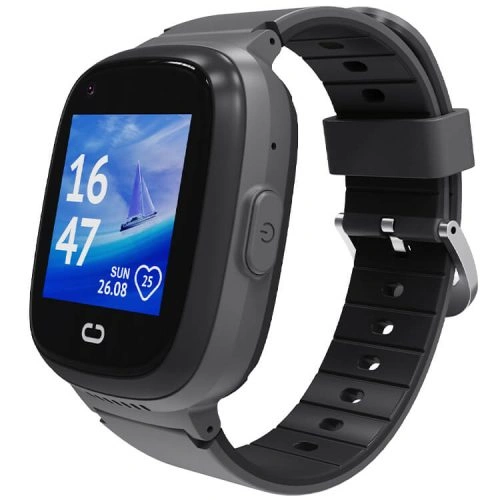
How Kids Smartwatch GPS Tracking Works
A GPS receiver calculates location by listening to signals from satellites. Outdoors with a clear view of the sky, this can provide a useful position. But real-world accuracy depends on more than the satellite system itself.
GPS.gov explains that user accuracy depends on factors such as signal blockage, buildings, trees, atmospheric conditions and the receiver design. That is why a child’s watch may appear very precise on an open sports field but less precise inside a school or shopping centre.
Why Kids Watches Use GPS, WiFi, AGPS and LBS Together
Children’s smartwatches often combine several location methods because no single method works perfectly everywhere:
- GPS: strongest outdoors with a clear view of the sky.
- AGPS (Assisted GPS): uses network assistance to help the receiver establish a location more quickly.
- WiFi positioning: can help estimate location around known WiFi networks, especially indoors.
- LBS/cell-tower positioning: uses mobile-network information to provide a broader location estimate when satellite reception is weak.
The parent app may switch between or combine these sources depending on the child’s environment. That is why the map should be treated as a useful location estimate rather than an infallible pinpoint.
REXQU KidGuard Pro: The Most Location-Focused Model
The REXQU KidGuard Pro is the most explicitly location-focused watch in the current REXQU kids range. Its published specifications combine GPS, AGPS, WiFi and LBS positioning, with route-history features and parent-managed geofencing in the companion app.
It also includes:
- 4G communication;
- video calling/check-in;
- approved contacts;
- an SOS function;
- IP67 dust and water protection;
- a rechargeable battery designed for daily connected use.
KidGuard Pro is the strongest fit if location tracking is your top priority and you are comfortable with a more regular charging routine.
REXQU KidView: GPS With a Simpler First-Watch Experience
The REXQU KidView also includes parent-facing location functions, safe-zone alerts and route playback, but pairs them with a larger 1.83-inch screen and a closed, simplified interface.
That makes KidView attractive when the watch is intended as a child’s first connected device. Parents still get location and communication features, while the child gets a relatively simple set of functions rather than an open smartphone-style environment.
REXQU KidTrack: Lightweight GPS for Everyday Wear
The REXQU KidTrack is the lightest and lowest-priced model in the current range. It combines real-time location features with parent controls, calling and geofence functions in a smaller, lighter watch.
For a younger child or anyone who tends to remove bulky watches, comfort can be just as important as a more elaborate GPS specification. A location tracker only helps when the child is actually wearing it.
Kids GPS Watch Comparison
| Model | Location emphasis | Best for | View |
|---|---|---|---|
| KidGuard Pro | GPS + AGPS + WiFi + LBS, route history, geofencing | Parents prioritizing location visibility | KidGuard Pro → |
| KidView | Location tracking + safe zones + route playback | First watch, larger display | KidView → |
| KidTrack | Real-time location + electronic-fence functions | Lightweight value | KidTrack → |
How Accurate Is a Kids GPS Smartwatch?
There is no single accuracy number that applies everywhere. Outdoors in open sky, a GPS-enabled device can often provide a useful position. Indoors, under heavy tree cover or between tall buildings, accuracy can degrade because satellite signals may be blocked or reflected.
That is why parents should avoid treating a location pin as a guarantee that the child is standing on one exact spot. A map position can be useful for confirming a general area, route or building, but it should be interpreted with the conditions in mind.
Why GPS Can Look Wrong Indoors
Indoor environments are difficult because roofs and walls block or weaken satellite signals. The device may then rely more heavily on WiFi or cell-tower information, which can be broader than an outdoor GPS fix.
If the app suddenly places the watch slightly away from its expected position, consider:
- whether the child is indoors;
- whether mobile signal is weak;
- whether the map has recently updated;
- whether the watch has a current data connection;
- whether the parent app is showing a cached rather than fresh location.
How Geofencing Works With GPS Tracking
Geofencing adds a second layer to location tracking. Instead of repeatedly checking the map, the parent creates a virtual boundary around a place such as home or school. The app can then notify the parent when the watch reports that it has moved outside or inside the defined area.
Because geofencing depends on location updates, the alert may not always be instantaneous. A weak network or an indoor location estimate can delay or slightly shift the trigger.
Read the full REXQU kids smartwatch geofencing guide for safe-zone setup tips.
Does the Watch Need a SIM for GPS Tracking?
The GPS receiver itself can determine location without using a cellular data plan, but the watch normally needs a mobile data connection to send that position to the parent app when it is away from WiFi. Calling, video calling, remote commands and notifications also depend on connectivity.
That is why carrier and SIM compatibility matter. Before activating a kids smartwatch, read the kids smartwatch SIM card guide.
GPS Tracking and Battery Life
Frequent location updates use more power than a watch sitting idle. Video calls and mobile data add additional battery demand. If you configure very frequent location updates, expect shorter time between charges.
For most families, the right balance is enough location visibility to be useful without requesting constant updates when they are not needed. See the kids smartwatch battery-life comparison for the current REXQU models.
Parents’ GPS Setup Checklist
- Activate the SIM and mobile data. Confirm the watch can communicate away from home WiFi.
- Test location outdoors. Start where the watch has a clear view of the sky.
- Test location indoors. Learn how much the map position changes in your home or school-like environment.
- Create one or two useful geofences. Home and school are a sensible starting point.
- Test an alert. Walk across the boundary intentionally so you know how quickly your phone is notified.
- Review route history. Make sure you know where it appears in the parent app.
- Set approved contacts and SOS numbers. Location information is more useful when the child can also reach a trusted adult.
- Create a charging routine. GPS cannot help if the watch battery is empty.
Kids Smartwatch GPS Tracking and Privacy
Location data is sensitive, especially when it belongs to a child. Parents should secure the companion-app account, avoid reusing weak passwords, limit access to trusted caregivers and review the permissions requested by the app.
For broader connected-device considerations, the FTC’s children’s privacy resources are a useful independent reference.
Frequently Asked Questions About Kids Smartwatch GPS Tracking
Can I track my child when they are indoors?
You may still receive a location estimate, but indoor accuracy can be lower because GPS satellites are harder to receive through buildings. WiFi and cell-tower positioning can help provide a broader location.
Does a kids GPS watch work without a phone nearby?
The child does not need to carry a parent’s phone next to the watch. The watch uses its own supported connections. However, a compatible SIM/data connection is normally required for remote updates and calls when away from WiFi.
Can GPS tell me the exact room my child is in?
Do not rely on consumer GPS for room-level indoor accuracy. Indoor positioning may identify the building or general area rather than an exact room.
Which REXQU model is best for GPS tracking?
KidGuard Pro is the most location-focused option in the current REXQU range because its published specifications explicitly combine GPS, AGPS, WiFi and LBS positioning with route history and geofencing.
Does GPS tracking replace supervision?
No. It provides an additional layer of awareness, not a guarantee of safety or a substitute for age-appropriate supervision.
Bottom Line
Good kids smartwatch GPS tracking is about more than a dot on a map. Look for a useful combination of outdoor GPS, indoor fallback methods, geofencing, a reliable parent app, compatible mobile data and a charging routine that keeps the watch online.
For the strongest location emphasis, see the REXQU KidGuard Pro. For a broader comparison of all three current models, read the Best Kids Smartwatch buying guide or browse the REXQU kids smartwatch collection.
Location accuracy and alert timing can vary with satellite visibility, buildings, mobile coverage, WiFi availability, mapping data and device connectivity. Kids smartwatches are not substitutes for adult supervision or emergency services.