
A kids smartwatch SIM card is what gives a 4G children’s watch its own mobile connection for calls, location updates, video calling and app communication when it is away from WiFi. For REXQU’s current kids smartwatch range, the SIM is not just an optional extra if you want the connected safety and communication features to work.
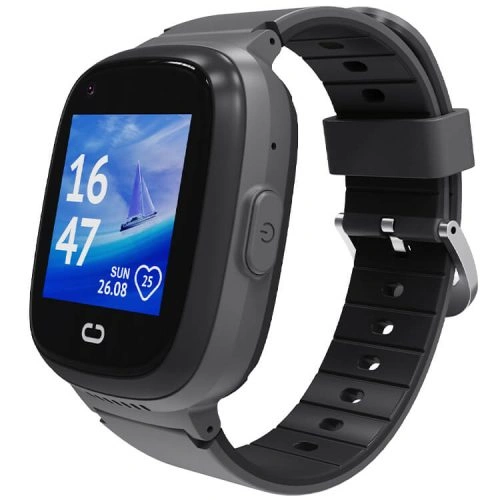
Why Does a Kids Smartwatch Need a SIM Card?
A child’s 4G smartwatch needs a mobile connection for many of the features parents usually buy it for. Depending on the model and app, the SIM connection can support:
- voice calls;
- video calls;
- sending location updates to the parent app;
- geofence alerts;
- SOS communication;
- remote parent-app settings and commands;
- messages or voice chat supported by the companion app.
Without an active mobile connection, some local watch functions may still work, but the remote calling and location features are greatly reduced or unavailable when the watch is away from WiFi.
Which SIM Size Do REXQU Kids Smartwatches Use?
The current REXQU kids models use a nano-SIM, the small physical SIM size used in many modern mobile devices. The watch and SIM plan must also support compatible mobile-network bands in your country.
Do not buy a plan simply because the SIM physically fits. A nano-SIM can fit the slot but still fail to connect if the carrier network or frequency bands are incompatible.
REXQU Kids Smartwatch SIM Requirements Compared
| Model | SIM | Connected features | View |
|---|---|---|---|
| KidGuard Pro | 4G nano-SIM | Calling, video check-in, location, geofencing, SOS | KidGuard Pro → |
| KidView | 4G nano-SIM | Voice/video communication, location, safe zones, SOS | KidView → |
| KidTrack | 4G nano-SIM | Calling, location, geofencing and parent-app connectivity | KidTrack → |
What Type of Mobile Plan Should You Choose?
The best plan is not necessarily the same plan you use for your phone. A kids smartwatch normally needs voice and data, but it does not usually need the large monthly data allowance of a smartphone used for streaming video and social media.
Before choosing a plan, ask the carrier:
- Does this plan support a 4G smartwatch or IoT-style device?
- Does it include voice calling?
- Does it include mobile data?
- Are the carrier’s LTE bands compatible with this watch?
- Will the SIM work in an unlocked third-party device?
- Is roaming required in the areas where the child will use it?
Carrier Coverage Matters as Much as the SIM
A compatible SIM cannot create coverage where the carrier has no useful signal. Before choosing a plan, check service around the places that matter most: home, school, the route between them, grandparents’ homes and regular activities.
In the United States, the FCC explains how to use its National Broadband Map to compare reported mobile coverage. Coverage tools are useful, but actual indoor performance can still differ from an outdoor coverage map.
Can You Use an Old Phone SIM?
Sometimes, but do not assume it will work simply because it is a nano-SIM. Check:
- whether the old SIM is still active;
- whether the plan includes both data and calling;
- whether the carrier allows the SIM to be used in the smartwatch;
- whether the network bands are compatible;
- whether the SIM has a PIN lock enabled that the watch cannot handle easily.
In many cases, getting a fresh SIM for the watch creates a cleaner setup and a dedicated number for the child.
Does a Kids Smartwatch Need Its Own Phone Number?
With a normal mobile SIM, the watch generally has its own mobile number. That number can be added to the parent’s approved-contact setup and used for calls according to the device configuration.
Parents should save the watch number in their phones and make a test call before relying on it away from home.
How the SIM Affects GPS Tracking
The GPS receiver can determine a position without cellular data, but the watch normally needs an internet connection to transmit that position to the parent app when it is away from WiFi.
That means a watch can have a functioning GPS receiver but still fail to update the parent’s phone if the SIM has no data service or the watch is outside mobile coverage.
For more detail, read the REXQU kids smartwatch GPS tracking guide.
How the SIM Affects Geofencing
Safe-zone alerts depend on the parent app receiving the watch’s location information. If the cellular connection drops, an alert can arrive late even though the boundary was crossed earlier.
See the kids smartwatch geofencing guide for realistic safe-zone expectations.
How the SIM Affects Video Calling
Video calling needs more data and a stronger connection than a basic voice call. A watch may be able to make a voice call in a weak-signal area where video quality is poor or the video call fails entirely.
If video calls are important to your family, compare the current models in the kids smartwatch video calling guide.
How to Install and Activate the SIM
The exact tray design can vary, so follow the instructions supplied with your specific model. The general process is:
- Activate the nano-SIM with the carrier first.
- Turn off the watch before inserting the SIM unless the product instructions say otherwise.
- Insert the nano-SIM in the correct orientation.
- Turn the watch on and allow it time to register on the network.
- Install the correct parent app.
- Pair or register the watch with the app.
- Make a test outgoing and incoming call.
- Test mobile data by checking a fresh location away from WiFi.
Kids Smartwatch SIM Setup Checklist
- Correct nano-SIM size
- Active plan
- Voice service included
- Mobile data included
- Compatible LTE bands
- Strong local carrier coverage
- SIM PIN disabled if necessary for the watch
- Parent app installed
- Approved contacts configured
- SOS tested
- GPS/location update tested away from WiFi
What if the Watch Says “No SIM” or Has No Signal?
Work through the basics before assuming the watch is faulty:
- Confirm the SIM is activated.
- Check the SIM orientation.
- Restart the watch.
- Confirm the carrier permits the SIM in that device type.
- Check LTE band compatibility.
- Test the SIM in another compatible device if possible.
- Check whether the SIM has a PIN lock enabled.
- Move outdoors or to an area with stronger coverage.
Is There a REXQU Monthly Subscription?
REXQU does not sell a separate monthly subscription for the parent-app features described in this guide. The recurring cost is the mobile service you choose from your carrier.
That makes it worth comparing SIM-plan costs before purchase so you understand the true ongoing cost of the watch.
Frequently Asked Questions About Kids Smartwatch SIM Cards
Can the watch work without a SIM?
Some local functions may still work, but the 4G calling and remote location features that make the watch useful to many parents depend on connectivity.
Does the SIM come with the watch?
The mobile plan is not included. Parents supply a compatible carrier SIM and service plan.
Can I use prepaid service?
Potentially, provided the plan supports the required voice/data service and the carrier’s network is compatible with the watch. Confirm this with the carrier before paying for a long-term plan.
How much data does a kids smartwatch need?
Usage depends on how often the watch sends location updates and how much video calling is used. Ask the carrier whether it offers a low-data smartwatch or connected-device plan rather than automatically choosing a full smartphone plan.
Which REXQU kids watches need a SIM?
KidView, KidTrack and KidGuard Pro are 4G connected kids watches and use compatible nano-SIM service for their cellular features.
Bottom Line
A compatible kids smartwatch SIM card is what turns the watch into a connected communication and location device. Check the network bands, carrier policy and coverage before buying the plan, then test calls and location updates before your child starts relying on the watch.
Compare the three models in the Best Kids Smartwatch buying guide or browse the full REXQU kids smartwatch collection.
Carrier compatibility, network coverage and plan requirements vary by country and provider. Confirm service with your carrier before purchase. Kids smartwatches are communication and location tools, not substitutes for adult supervision or emergency services.