
If you want to share ECG smartwatch readings with your doctor, the goal is not to dump every waveform from the last three months onto the exam-room screen. The useful approach is to organise a few relevant recordings with the date, time, symptoms and heart-rate context so your healthcare professional can quickly see why you captured them.
REXQU ECG watches such as CardioSense, CoreX Pro, AetherX and the screenless PulseBand store wrist-ECG and related wellness information in a companion app. Depending on the app and version, you may be able to export, save, screenshot or simply show a recording directly on your phone.
How to Share ECG Smartwatch Readings With Your Doctor
The exact buttons vary by companion app, but the workflow is usually straightforward. Use this sequence before your appointment:
- Record the ECG while you are still. Sit down, rest your forearm and complete the full recording.
- Check that the trace saved. Open the companion app and make sure the recording appears in your ECG or heart-history section.
- Add context. Note what you were doing and whether you noticed palpitations, dizziness, unusual fatigue or another reason for taking the recording.
- Choose only the relevant traces. Two or three recordings tied to a specific concern are usually easier to discuss than dozens of routine readings.
- Use the app’s available sharing option. If export or share is available, save the file. If not, a clear screenshot or showing the trace directly in the app can still make the information accessible during the visit.
- Bring your phone charged. Make sure the app is logged in and the relevant records are easy to find before you arrive.
What Should You Include With a Smartwatch ECG Recording?
An ECG waveform on its own lacks context. A few extra details can make the recording more useful to discuss:
- date and exact time of the recording;
- what you were doing immediately before it;
- whether you had symptoms and how long they lasted;
- your heart rate around the same time;
- whether caffeine, exercise, illness, poor sleep or stress may have been relevant;
- whether a similar episode has happened before.
This does not turn the smartwatch into a medical monitor, but it helps the clinician understand the circumstances around the trace.
Why Trend History Can Be More Useful Than One ECG Snapshot
A single wrist ECG captures only a short window. If an irregular sensation happens intermittently, a normal recording taken later does not prove that nothing happened earlier. That is one reason wearable ECGs can be useful: they make it easier to capture a short trace when you choose to take one.
Repeated recordings can also show whether a pattern occurred once or several times. The value comes from the timeline, not from assuming the watch can interpret every rhythm correctly.
For more detail on the role of short wrist recordings in rhythm awareness, read Can a Smartwatch Detect AFib?.
What a Smartwatch ECG Can and Cannot Tell Your Doctor
A smartwatch ECG is generally a single-lead recording. A clinical ECG often uses 12 leads positioned across the chest and limbs, giving healthcare professionals multiple electrical views of the heart.
The American Heart Association explains that an electrocardiogram records the heart’s electrical activity and is used clinically to assess rhythm and other cardiac information. See the AHA’s Electrocardiogram (ECG or EKG) overview.
That means a wrist ECG may be useful for:
- capturing a short rhythm trace at a specific moment;
- showing the timing of an episode you want to discuss;
- providing heart-rate and rhythm context;
- helping you remember how often something occurred.
But it should not be used by itself to diagnose:
- atrial fibrillation;
- a heart attack;
- coronary artery disease;
- heart failure;
- the cause of chest pain, breathlessness, fainting or dizziness.
How Accurate Are Single-Lead Wearable ECGs?
Research on wearable single-lead ECG technology is encouraging for rhythm screening, but performance varies across devices and study populations. A 2024 overview of systematic reviews found good sensitivity and specificity for atrial-fibrillation detection in studied single-lead devices, while also highlighting variation between tools and patient groups. The review is available through PubMed.
That evidence does not mean every consumer smartwatch performs identically. Hardware, algorithm design, recording quality and regulatory status all matter. REXQU watches should be used as wellness devices for recording and trend awareness rather than as stand-alone diagnostic tools.
Which REXQU ECG Watches Are Easiest to Review and Share?
The best model depends on whether you want a large display, broader wellness data, outdoor features or a screenless design.
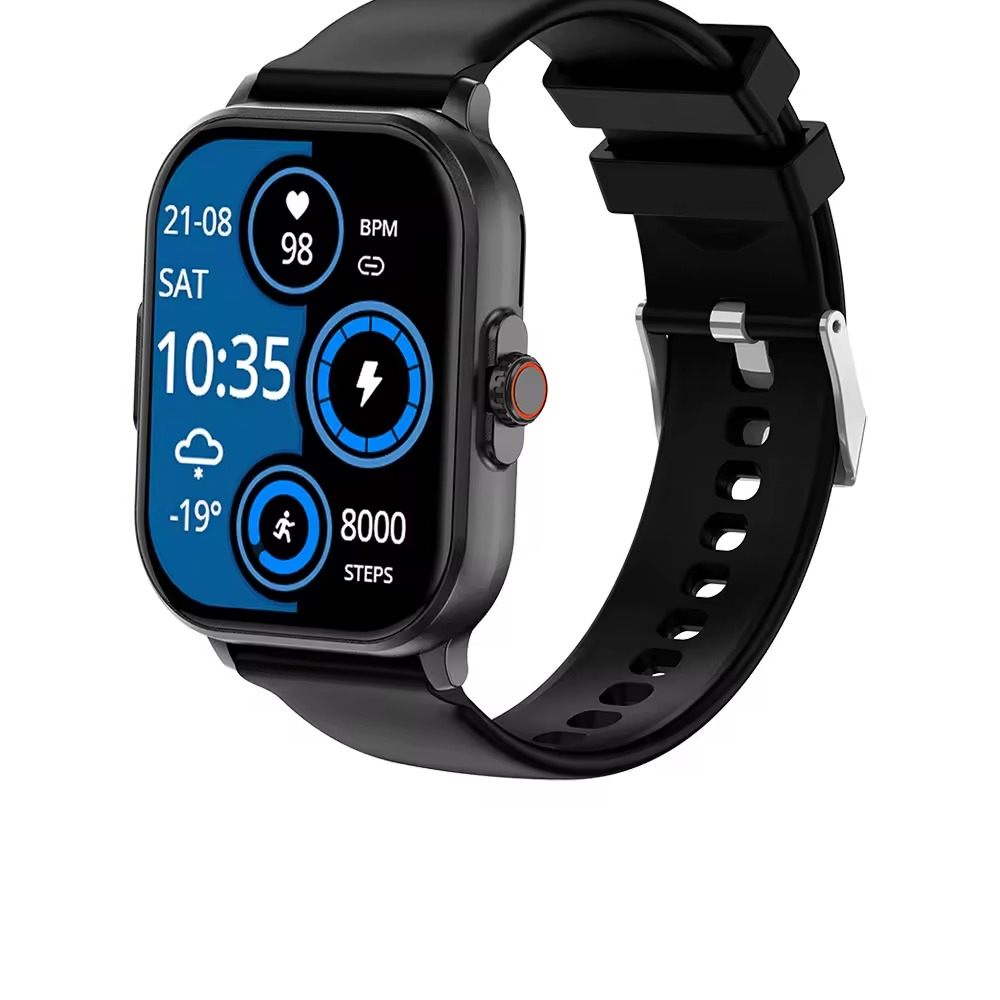
| Model | Best For | ECG Use | Other Helpful Context |
|---|---|---|---|
| CardioSense | Large, easy-to-review display | On-wrist ECG recording | Heart-rate and blood-pressure wellness data |
| CoreX Pro | Heart-health focused tracking | On-wrist ECG | Heart rate, blood pressure, blood oxygen, sleep |
| AetherX | Premium health + outdoor features | On-wrist ECG | GPS, temperature and broader wellness tracking |
| PulseBand | Screenless, long-wear tracking | On-band ECG | HRV-related trends and long battery life |
CardioSense: Best for a Bigger On-Wrist View
CardioSense is the easiest choice if you value a large watch display for reviewing readings before opening the phone app. It combines ECG with everyday wellness tracking and a large 2.01-inch display.
CoreX Pro: Best for ECG Plus Broader Heart Trends
CoreX Pro suits users who want ECG alongside blood-pressure, heart-rate, blood-oxygen and sleep information. That broader context can help you remember what was happening around a saved trace.
AetherX: Best for Health Data Plus GPS
AetherX adds GPS and other smartwatch features to its health-tracking package, which can appeal to active users who want one device for workouts and wellness information.
PulseBand: Best for Screenless Wear
PulseBand takes a different approach: it is a screenless band designed for long-wear tracking. It suits people who want ECG and wellness data without another display competing for attention.
How to Prepare Your ECG App Before the Appointment
Five minutes of preparation can prevent the common situation where useful data exists but cannot be found while the clinician is waiting.
- Open the app at home and locate the ECG history section.
- Identify the recordings that relate to your question.
- Rename, favourite or screenshot them if the app supports it.
- Check whether the recording shows the date and time clearly.
- Write a short note in your phone explaining what you felt at that moment.
- Export any file you plan to upload to a patient portal before the appointment.
- Keep the original record in the app even if you also make a screenshot.
Should You Send ECG Smartwatch Readings Before the Appointment?
If your healthcare provider has a secure patient portal and has asked you to upload records, sending the relevant trace in advance may make the visit more efficient. Do not assume the office wants unsolicited wearable data, though. Different clinics have different workflows and may prefer you to bring the information to the appointment.
If you are unsure, ask the clinic whether they accept smartwatch ECG files or screenshots and what format they prefer.
When a Smartwatch ECG Should Not Delay Medical Care
A wearable recording is not a substitute for urgent assessment. If you have severe or concerning symptoms, do not wait for the watch to produce a particular result before seeking appropriate medical help. A normal-looking consumer ECG does not rule out every serious heart problem.
The safest role for the watch is documentation: it can help you capture information and preserve a timeline, while medical professionals decide what testing is appropriate.
Frequently Asked Questions About Sharing Smartwatch ECG Readings
Can I email a smartwatch ECG to my doctor?
Possibly, depending on the app and your clinic’s communication policy. A secure patient portal is generally preferable to ordinary email for personal health information. Check what your healthcare provider accepts.
Can my doctor diagnose AFib from my smartwatch?
Your doctor may find a clean wrist ECG useful, but diagnosis depends on the specific recording, device, clinical context and appropriate medical criteria. Do not self-diagnose based on a consumer watch classification.
Should I share every ECG recording?
Usually not. A smaller number of recordings connected to a specific symptom or question is easier to review. Follow your healthcare professional’s instructions if they want a particular monitoring schedule.
What if the ECG says “inconclusive”?
Try again while seated, still and with good sensor contact. If repeated recordings are inconclusive and you have a health concern, discuss that with a healthcare professional rather than trying to interpret the result yourself.
Do REXQU ECG watches require a subscription to view history?
REXQU’s current ECG models are sold without a recurring subscription requirement for their core companion-app wellness features.
Bottom Line: The Best Way to Share ECG Smartwatch Readings
To share ECG smartwatch readings with your doctor effectively, focus on relevance rather than volume. Capture a clean trace, save the date and time, add symptom context, choose the few recordings connected to your concern, and make them easy to open before the visit.
A REXQU ECG watch can make rhythm information easier to collect, but the watch remains a consumer wellness device. For product comparisons, browse the REXQU ECG smartwatch range. For the science and limitations behind wrist ECG, read the evidence-based REXQU AFib & Smartwatch ECG Health Guide.
This article is for general information and wellness education and is not medical advice. REXQU smartwatches are consumer wellness devices, not diagnostic medical devices. See our Editorial & Research Standards for how REXQU researches health-related content.