
Blood pressure smartwatch Bluetooth calling lets you take a call without reaching for your phone — useful on a walk, mid-workout, or any time your hands are busy. Not every REXQU blood pressure model includes it, though, so here’s exactly which ones do, and what has to be true for it to actually work.
This article covers wellness and connectivity features only, not blood pressure accuracy claims. REXQU’s blood pressure watches are wellness trackers, not medical devices or FDA-cleared diagnostic tools — talk to a doctor about any reading that concerns you.
How Blood Pressure Smartwatch Bluetooth Calling Works
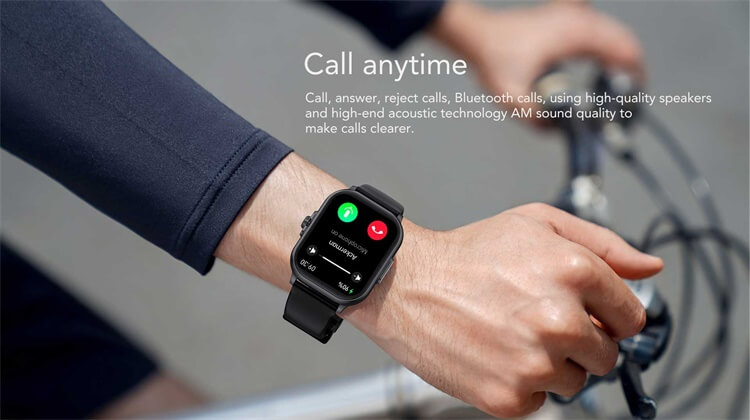
None of REXQU’s blood pressure watches have a built-in SIM or cellular radio of their own. Blood pressure smartwatch Bluetooth calling runs through a Bluetooth pairing with your phone: once paired via the companion app, the watch can place and receive calls using your phone’s number and signal, while your phone stays wherever you left it, as long as it’s within Bluetooth range.
SOS contact calling on these models works the same way — it’s a shortcut to a pre-set contact, not a standalone emergency line, and it also needs that paired phone connection within range to go through.
Which REXQU Blood Pressure Models Support It
- REXQU Chronex ($159.97) — a one-button SOS contact shortcut plus ordinary Bluetooth calling, alongside its ECG wellness waveform and 24/7 heart-rate and sleep tracking.
- REXQU CardioSense ($159.97) — Bluetooth calling through a compatible paired phone, on top of ECG wellness waveform readings, heart-rate and sleep trends, in a light 40g IP67 build.
- REXQU CoreX Pro ($159.97) — makes and receives calls directly from the wrist via Bluetooth, with a 30-second on-wrist ECG recording and irregular-rhythm notifications built in.
All three of REXQU’s current blood pressure watches with ECG also happen to be the ones that support calling — if you’ve already narrowed your shortlist to the ECG-capable models, Bluetooth calling comes along with that choice rather than being a separate trade-off.
What Has to Be True for Calls to Go Through
Three conditions, all at once: your phone’s Bluetooth needs to be on, the phone needs to be within typical Bluetooth range of the watch (roughly 30 feet, less through walls or floors), and the two devices need to have been paired at least once through the free companion app. Once that initial pairing is done, the watch reconnects automatically whenever both devices are nearby.
Battery Impact of Blood Pressure Smartwatch Bluetooth Calling
Taking calls draws more battery than passive blood-pressure and heart-rate background tracking. REXQU lists a 5–7 day battery range for CardioSense, but that figure assumes typical background sensor use — a day with several Bluetooth calls, plus the display waking each time, will land you toward the shorter end of that range. If calling on the wrist is something you’ll use daily, plan on charging more like every 4–5 days rather than the full week some of these watches can otherwise stretch to.
Call Quality and Everyday Comfort
The built-in speaker and microphone on these models are sized for a wrist, so they’re best suited to short, practical calls — confirming you’re running late, checking an address, or answering a quick question — rather than a long conversation. For anything that needs real privacy or clarity, switching back to the phone itself is still the better move, which is easy to do mid-call since the connection simply hands off.
Wearing the watch while talking also means holding your wrist closer to your face than you would with a phone, which some people find awkward in public. Pairing a set of wireless earbuds to the same phone, rather than relying on the watch speaker, is a common workaround once the novelty of wrist-calling wears off.
Frequently Asked Questions
Do I need a separate phone plan or SIM for blood pressure smartwatch Bluetooth calling?
No. It uses your existing phone’s number and cellular signal through the Bluetooth connection — there’s no SIM or eSIM in the watch itself.
Will the SOS contact shortcut work without my phone nearby?
No — both Bluetooth calling and the SOS contact shortcut need your paired phone within Bluetooth range to connect.
For REXQU’s full blood pressure smartwatch lineup, or to compare specs directly, see the Chronex, CardioSense, and CoreX Pro product pages. For background on how the underlying wireless standard works, Wikipedia’s overview of Bluetooth covers the range and pairing basics these watches depend on.