
Kids smartwatch battery life matters because the watch is only useful for calling, GPS, geofencing and SOS while it has power. Standby figures can look impressive on a product page, but a child who makes video calls, uses mobile data and sends frequent location updates will drain the battery much faster than a watch sitting idle.
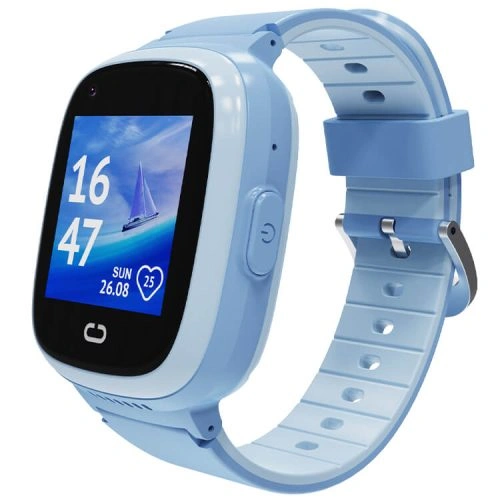
REXQU Kids Smartwatch Battery Life at a Glance
| Model | Battery | Published battery emphasis | Best for |
|---|---|---|---|
| KidGuard Pro | 750mAh | About 1–2 days active use, 3–4 days standby | Location-heavy and video-call use |
| KidTrack | 700mAh | Up to about a week standby | Lightweight everyday use |
| KidView | 700mAh | Up to about 7 days standby | Larger-screen first watch |
These figures describe different usage patterns, so the fairest comparison is not simply “which number is largest?” The real question is how your child will use the watch.
Standby Time vs Real-World Battery Life
Standby usually means the watch is powered on but doing relatively little. Real-world use can include:
- frequent GPS updates;
- 4G mobile data;
- voice calls;
- video calls;
- a bright screen;
- geofence checking;
- notifications;
- weak-signal searching.
Every one of those activities draws more power than idle standby. A parent should therefore plan charging around the child’s busiest likely day, not the maximum standby figure.
What Drains a Kids Smartwatch Battery Fastest?
1. Video Calling
Video calls activate the display, camera, microphone, speaker, processor and mobile-data radio at the same time. They can be one of the fastest ways to reduce battery life.
If your family mostly needs quick check-ins, a short voice call may preserve battery better than repeated video calls. See the kids smartwatch video calling guide for more detail.
2. Frequent GPS Updates
Location tracking uses power, especially when the app requests frequent fresh positions. If you configure very aggressive update intervals, the watch may spend more time using GPS and mobile data.
For a practical balance between location visibility and battery use, read the kids smartwatch GPS tracking guide.
3. Weak Mobile Signal
A watch in a weak-signal area may use extra power searching for or maintaining a mobile connection. This is one reason battery life can vary between two children using the same model in different areas.
4. Screen Brightness and Screen Time
A large, bright screen is useful for calls and icons, but it also consumes energy. KidView’s larger display may be easier for a child to use, while a child who constantly wakes the screen will naturally drain it faster.
5. Geofencing and Background Connectivity
Safe-zone alerts depend on location updates and app connectivity. The more often the watch checks and transmits location, the more battery it can use.
REXQU KidGuard Pro Battery Life
The KidGuard Pro has the largest published battery capacity in the current REXQU kids range at 750mAh, but it also has a feature set designed for heavier connected use: layered GPS/AGPS/WiFi/LBS positioning, video calling, SOS and route-history functions.
REXQU lists roughly 1–2 days of active use and 3–4 days of standby. For a child using GPS and video regularly, a nightly or near-nightly charging routine is the safest expectation.
REXQU KidTrack Battery Life
The KidTrack uses a 700mAh battery and is designed around lightweight everyday wear. REXQU lists up to roughly a week of standby.
Actual use will be shorter when calling, GPS and mobile data are active, but the lighter watch can be a strong choice if comfort is the deciding factor.
REXQU KidView Battery Life
The KidView also uses a 700mAh battery with published standby reaching up to about seven days. Its larger 1.83-inch display is convenient for a younger child, but longer screen-on time will naturally consume more power.
Which REXQU Kids Watch Has the Best Battery Life?
There is no single winner without defining the usage pattern:
- For location-heavy active use: KidGuard Pro has the largest battery capacity but also the most demanding feature set.
- For long standby: KidTrack and KidView publish longer low-use standby figures.
- For a child who forgets to charge: the best model is the one you can build into a reliable household charging routine.
A Better Charging Routine for a Child’s Watch
For a watch used as a family communication and location tool, reliability matters more than squeezing every possible hour from the battery.
A simple routine is:
- Check the battery when the child gets home.
- Charge while they are doing homework, eating dinner or getting ready for bed.
- Return the watch to the same place every time.
- Make sure it is back on the wrist before leaving home the next morning.
This reduces the chance of the watch spending the school day at 10% battery because everyone forgot to charge it the night before.
Should You Charge a Kids Smartwatch Every Night?
For families using the watch for daily calling, GPS and SOS, nightly charging is often a sensible routine even if the watch could technically last longer. You do not have to wait for the battery to reach zero before charging.
Research reviewed by the University of Michigan on lithium-ion battery life notes that temperature, state of charge and charging/discharging conditions affect long-term battery degradation. Avoiding extreme heat and deep repeated discharges is generally kinder to lithium-ion cells.
Cold Weather and Kids Smartwatch Battery Life
Cold conditions can temporarily reduce battery performance. If a child spends a long winter day outdoors, the watch may appear to drain faster than it does indoors.
Do not charge the watch while it is extremely cold from outdoor exposure. Let it return to a normal indoor temperature first.
Battery Life and SIM Coverage
A weak or incompatible mobile connection can affect both functionality and battery use. If the watch repeatedly searches for a network, it may drain faster than expected.
Before activation, read the kids smartwatch SIM card guide and choose a carrier with useful coverage where your child actually goes.
Battery-Saving Checklist for Parents
- Use video calling when you actually need video.
- Avoid unnecessarily frequent GPS refresh settings.
- Keep screen brightness reasonable.
- Charge before the battery becomes critically low.
- Keep the watch on a compatible network with strong local coverage.
- Do not leave the watch in extreme heat or cold.
- Use the supplied or recommended charger.
- Build charging into a predictable daily routine.
Frequently Asked Questions About Kids Smartwatch Battery Life
Do REXQU kids watches need charging every night?
Not always from a purely technical standpoint, but nightly charging can be a sensible habit for a watch that a child depends on every day for calls and location.
Why is real battery life shorter than standby time?
Standby assumes relatively little activity. Calls, video, GPS, mobile data, screen use and geofence updates all consume more power.
Does GPS drain the battery?
Yes. More frequent location checks generally use more energy.
Does video calling drain more battery than voice calling?
Usually, yes, because the camera, screen and mobile data are active throughout the call.
Which REXQU kids watch should I buy if battery life is my main concern?
KidTrack and KidView publish longer standby figures, while KidGuard Pro has the largest battery capacity but a heavier location/video feature set. Choose based on how the watch will actually be used.
Bottom Line
Good kids smartwatch battery life is not about finding the biggest standby number. It is about having enough power for the child’s real day and a charging routine that keeps the watch ready when it matters.
Compare all three models in the Best Kids Smartwatch buying guide or browse the full REXQU kids smartwatch collection.
Battery life varies with network strength, GPS frequency, calling, video, screen use, settings, temperature and battery age. Published standby figures should not be treated as guaranteed real-world runtime.