
If you are shopping for a smartwatch for seniors with Bluetooth calling, the real benefit is simple: the wearer can answer or make supported calls from the wrist while the paired phone stays in a pocket, bag or nearby room. For an older adult who misses calls because the phone is hard to hear, difficult to reach or simply left somewhere else, that can remove a genuine daily frustration.
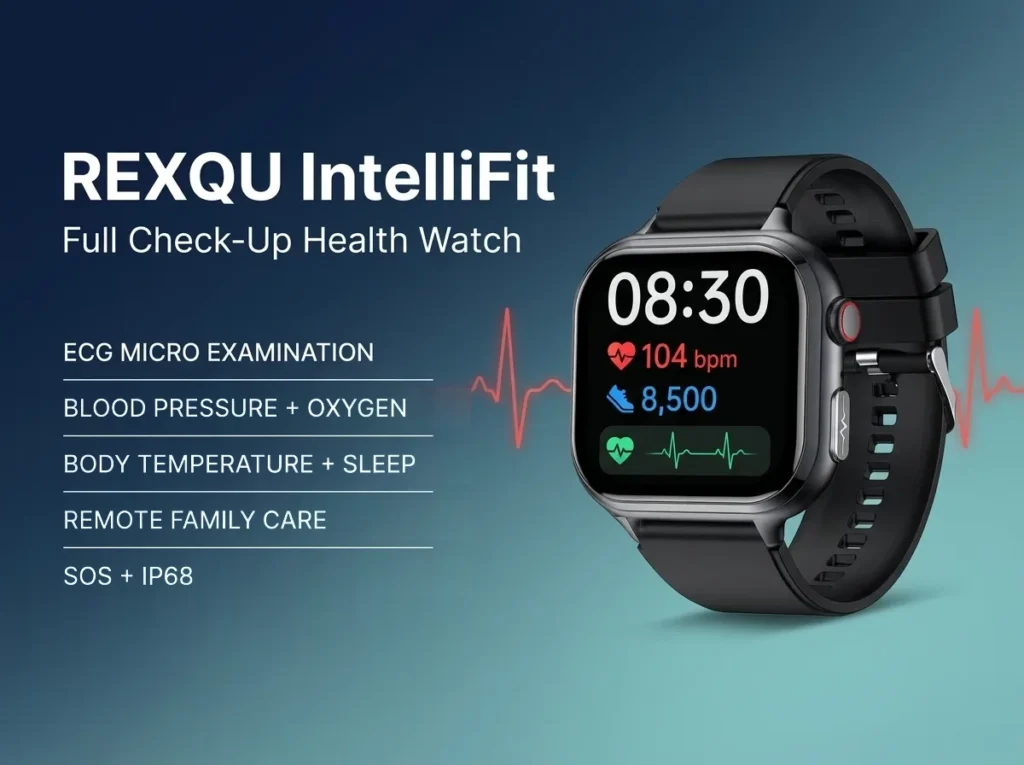
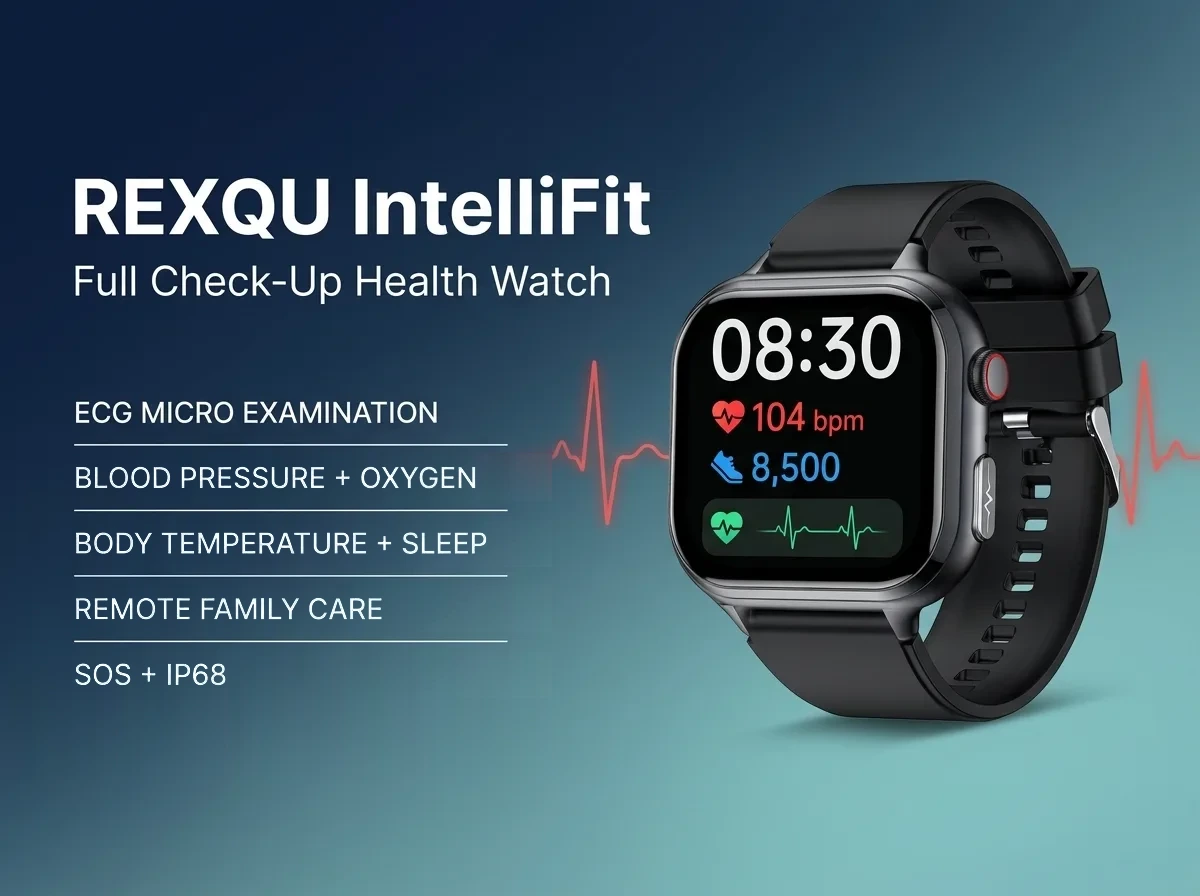
Within REXQU’s current senior-friendly range, the IntelliFit is one of the strongest all-round options because Bluetooth calling is combined with a 1.91-inch display, one-button SOS and remote family-care sharing. Other REXQU senior-friendly models, including CardioSense and VitaCore, also support wrist calling and may be better if display size is the main priority.
How Bluetooth Calling on a Senior Smartwatch Works
A Bluetooth-calling smartwatch uses the paired phone’s cellular connection for the call. The watch acts like a small wrist-worn speakerphone: microphone, speaker and call controls are on the watch, while the phone still provides the mobile network connection.
That means the phone usually needs to be within normal Bluetooth range. It is not the same as a standalone LTE watch with its own cellular plan. For many older adults, though, that is enough: the phone can stay on a table or in a handbag while calls are answered from the wrist.
Why Bluetooth Calling Can Be Useful for Seniors
Calling from the wrist can help in everyday situations that have nothing to do with emergencies:
- The phone is charging in another room. A call can still be answered without rushing to find it.
- The wearer has reduced hand strength. Tapping a large watch control may be easier than gripping and unlocking a phone.
- The phone is buried in a bag or coat. The watch can show who is calling and provide an answer control immediately.
- The wearer is walking or gardening. Calls can be taken without stopping to retrieve the phone.
- Family checks in frequently. A wrist call can make those routine conversations easier to answer.
Technology can help older adults stay connected when it reduces friction rather than adding complexity. The National Institute on Aging’s guidance on social connection discusses the importance of maintaining contact and social engagement as people age.
REXQU IntelliFit: Bluetooth Calling Plus Family Care
The IntelliFit is particularly relevant because calling is only one part of its family-focused setup. Current REXQU specifications include:
- Bluetooth calls from the wrist
- 1.91-inch HD display
- One-button SOS
- Remote family-care sharing through the companion app
- Heart-rate, blood-pressure trend, blood-oxygen, temperature and sleep features
- No recurring REXQU subscription for the core companion-app functions
For a parent who lives independently, the combination of ordinary calling and family-care sharing may be more useful day to day than a safety feature that is only used in an emergency. See the dedicated smartwatch for seniors with family monitoring guide for that side of the decision.
CardioSense: Bluetooth Calls on a Larger Heart-Health Display
The CardioSense uses a 2.01-inch display and supports Bluetooth calling through a built-in speaker and microphone. REXQU positions the screen around easy-to-read heart-rate, blood-pressure trend and ECG information, making it a good alternative when large digits matter more than remote family care.
Current specifications list about 5–7 days of normal battery life. If readability is the deciding factor, compare CardioSense with VitaCore and VistaMax in the large display smartwatch for seniors guide.
VitaCore: Calls, Large Always-On Screen and SOS
The VitaCore combines Bluetooth calling with the largest display in the current REXQU senior collection — a 2.04-inch always-on AMOLED — plus one-press SOS. That makes it a strong fit for someone who wants wrist calling but also needs a very easy-to-read screen.
Its current battery rating is roughly 5–10 days depending on how heavily the always-on display, calls and other features are used.
Bluetooth Calling vs SOS: Do Not Treat Them as the Same Thing
Bluetooth calling is for normal communication. SOS is for deliberately calling for help. A watch can have one, both or neither.
| Feature | Bluetooth Calling | SOS |
|---|---|---|
| Purpose | Everyday incoming/outgoing calls | Fast emergency-contact action |
| Activation | Answer/dial from call controls | Dedicated press/hold or SOS control |
| Phone connection | Usually relies on paired phone | Often also relies on phone/app connection |
| Best for | Routine family contact and convenience | Quick help request |
If emergency features are the first priority, compare the dedicated SOS smartwatch guide. If concern centers on being unable to press a button after a fall, see the fall-detection guide.
How to Set Up Bluetooth Calling for an Older Parent
- Pair the watch to the phone. Complete the companion-app setup and Bluetooth permissions.
- Allow call access. The phone may ask separately for contacts, call audio or notification permissions.
- Test an incoming call. Make sure the watch rings, shows the caller and can answer clearly.
- Test an outgoing call. Confirm the wearer knows how to reach a favourite contact from the watch.
- Adjust call volume. Set it high enough to hear without causing distortion.
- Show where the phone must be. Walk around the home and demonstrate where Bluetooth begins to drop.
- Keep emergency features separate. Test SOS independently so the wearer understands the difference.
How Far Can the Phone Be From the Watch?
Bluetooth range depends on walls, interference, the phone model and where both devices are located. In an open space it can extend farther, while several walls or floors can shorten the useful range considerably.
For a senior using Bluetooth calls, the practical rule is simple: keep the phone somewhere nearby. Do not assume the watch will continue routing calls from one end of a large property to the other.
Bluetooth Calling and Hearing
A wrist speaker is convenient, but it will not suit every hearing situation. Someone with significant hearing loss may still prefer a phone, hearing-aid integration or another audio device. Test call clarity before making wrist calling a central part of the routine.
For many users, the biggest benefit is not louder audio; it is the visible incoming-call alert and the ability to answer before the call is missed.
Battery Life and Calling
Phone calls use more battery than passive health tracking because the watch speaker, microphone and Bluetooth audio connection are active. If the wearer takes many long calls from the wrist, expect shorter runtime than the maximum battery specification.
If charging frequency is a concern, see the smartwatch for seniors with long battery life guide.
Frequently Asked Questions
Does Bluetooth calling work if the phone is not nearby?
Not reliably on these Bluetooth-dependent models. The paired phone provides the cellular call connection, so it needs to remain within usable Bluetooth range.
Do I need a separate cellular plan for the watch?
No separate REXQU cellular plan is required for Bluetooth calling on the models discussed here. The call is routed through the paired phone.
Which REXQU senior watch is best for Bluetooth calling?
IntelliFit is a strong all-round choice because it combines wrist calls with family care and SOS. CardioSense is better for a larger heart-health display, while VitaCore offers the largest always-on display plus one-press SOS.
Can a family member also see health trends?
IntelliFit includes remote family-care sharing through the companion app. Exact sharing options depend on the current app version and user permissions.
Is Bluetooth calling the same as an emergency medical-alert service?
No. It is a normal consumer calling feature, not professional emergency monitoring.
The Bottom Line
A smartwatch for seniors with Bluetooth calling is most useful when it makes ordinary communication easier, not more complicated. Choose IntelliFit for calls plus family care and SOS, CardioSense for calls on a large heart-health display, or VitaCore for calls on the largest always-on senior screen with one-press SOS. Compare all REXQU smartwatches for seniors →
REXQU smartwatches are consumer wellness and communication devices, not medical devices or professional emergency-response services.