
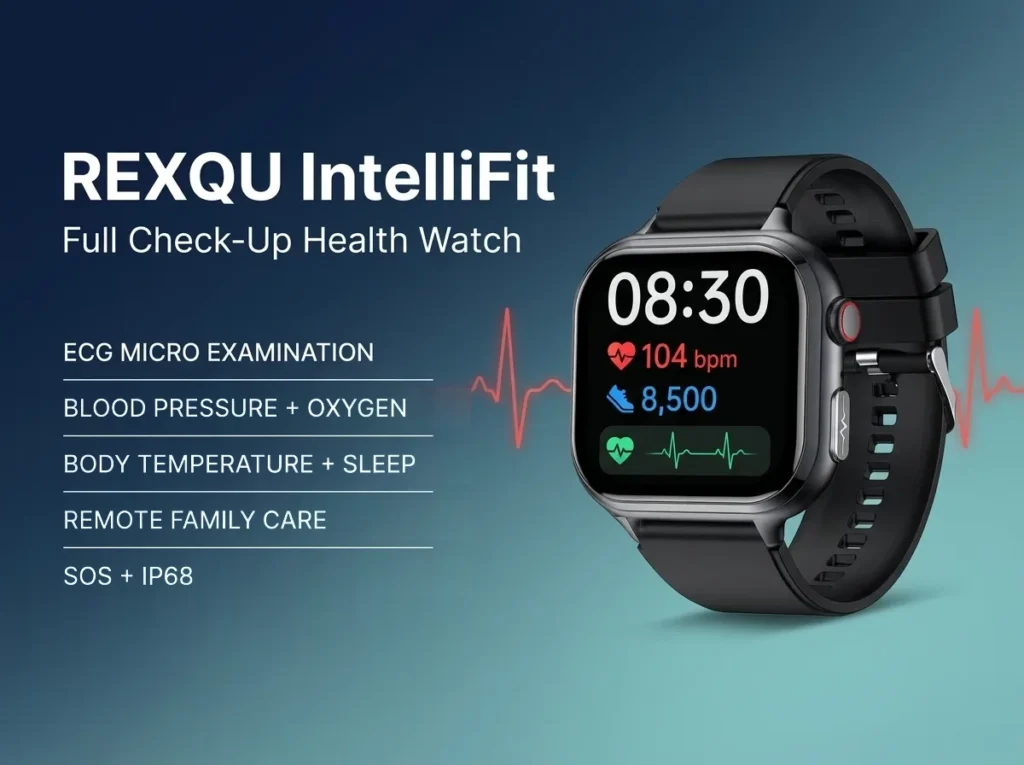
If you are looking for a smartwatch for seniors with family monitoring, the most useful feature is not another sport mode or a complicated dashboard. It is a simple way for an older wearer to stay connected while giving trusted family members appropriate visibility into day-to-day wellness trends. Within REXQU’s current senior-friendly range, the REXQU IntelliFit is the model built most directly around that use case.
IntelliFit combines a large 1.91-inch display, Bluetooth calling, one-button SOS and app-based family-care sharing with everyday wellness tracking. That makes it particularly relevant for adult children shopping for a parent who lives independently, or for couples who want an easier way to stay connected without turning the watch into a monitored medical-alert service.
How a Smartwatch for Seniors With Family Monitoring Works
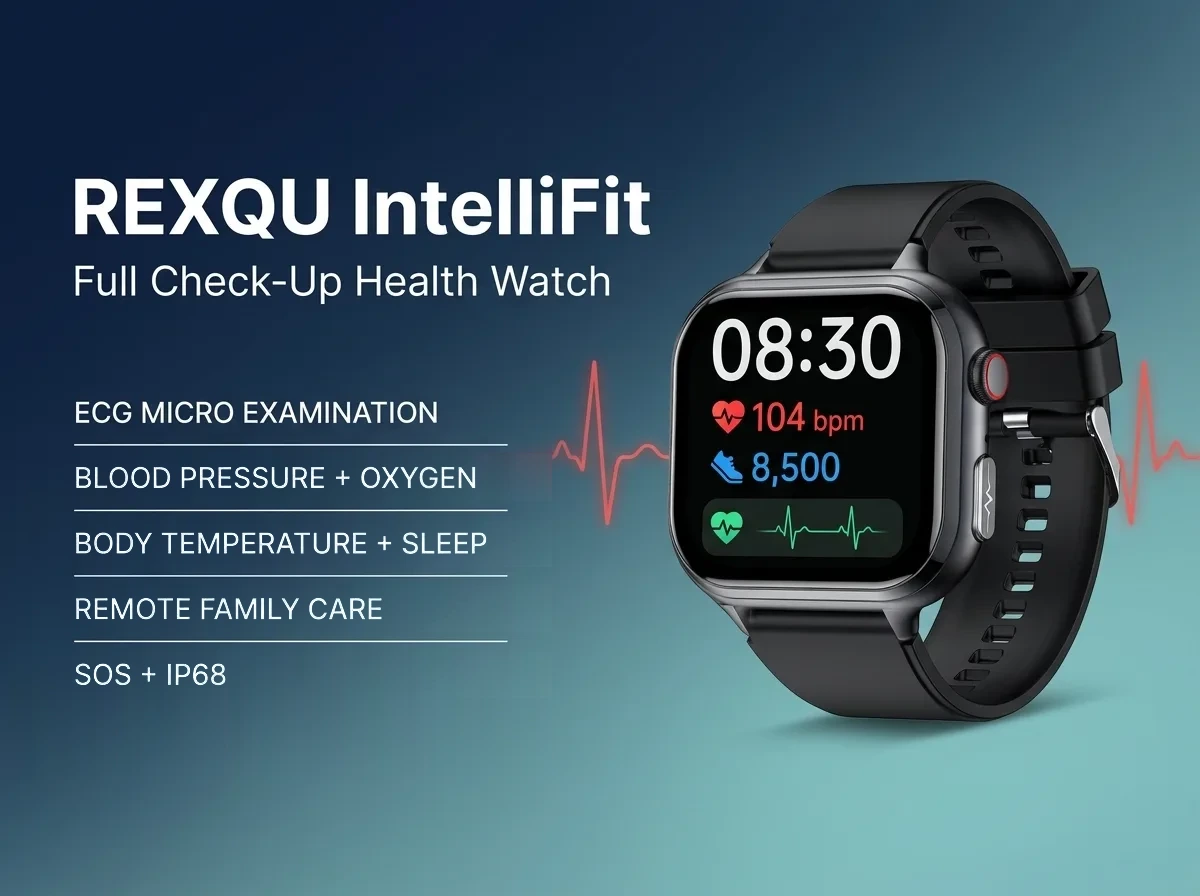
Family monitoring is best understood as shared access to selected wellness information, not remote medical supervision. According to REXQU’s current IntelliFit specifications, the companion app can be used to share wellness data with trusted family members while the watch itself records day-to-day information such as heart rate, blood pressure trends, blood oxygen, temperature and sleep.
The value is continuity. Instead of an adult child asking, “How have your readings been this week?” and relying on memory, the family can review a pattern when the wearer has chosen to share it. That can make conversations more specific without pretending a consumer wearable is providing a diagnosis.
Long-distance caregiving is common enough that the National Institute on Aging has dedicated guidance for long-distance caregivers. A smartwatch cannot replace phone calls, visits or professional care, but it can add another layer of connection between them.
What the REXQU IntelliFit Adds for Older Wearers
The IntelliFit is not just a family-sharing app attached to a generic watch. Its feature mix is specifically useful for older adults who want simple communication and wellness tracking in one place.
- Remote family care: wellness trends can be shared through the companion app with trusted family members.
- Bluetooth calling: answer or make supported calls from the wrist when the paired phone is nearby.
- One-button SOS: a manual emergency-help option for situations where the wearer is able to press the button.
- 1.91-inch HD display: larger text and readings than many compact fitness bands.
- Everyday wellness tracking: heart rate, blood pressure trends, SpO₂, temperature and sleep information are available through the watch and app.
- No REXQU subscription: the core companion-app functionality is included with the watch rather than requiring a REXQU monthly monitoring plan.
If wrist calling is especially important, see our dedicated smartwatch for seniors with Bluetooth calling guide. If emergency help is the bigger concern, compare the manual SOS options in our senior smartwatch SOS guide.
Family Monitoring vs. Fall Detection vs. SOS: They Are Different
These three features are easy to lump together, but they solve different problems:
| Feature | What It Does | Best REXQU Fit |
|---|---|---|
| Family monitoring | Shares selected wellness trends with trusted family through an app | IntelliFit |
| Manual SOS | Lets the wearer deliberately call for help | IntelliFit, VitaCore, Chronex |
| Automatic fall detection | Attempts to recognize a hard fall and trigger an alert flow without a button press | GuardBand; also see O2Max elsewhere in the REXQU health-watch range |
If a parent is active, independent and comfortable pressing an SOS button, IntelliFit may offer the best balance of normal smartwatch use and family connectivity. If the central concern is a fall that could leave the wearer unable to press anything, start with the fall-detection guide instead.
How to Set Up Family Monitoring Without Making It Intrusive
A smartwatch for seniors with family monitoring works best when the wearer understands what is being shared and agrees to the arrangement. That sounds obvious, but it is one of the most important parts of setup.
- Pair the watch with the wearer’s phone first. Complete the normal Bluetooth and companion-app setup before adding any family-sharing feature.
- Agree on what the family will actually monitor. Some families want only occasional trend checks; others want a regular weekly review.
- Choose one or two trusted people. More access is not automatically better. Keep the circle small and purposeful.
- Test calling and SOS separately. Family sharing does not replace testing the watch’s communication features.
- Keep medical decisions separate. A relative seeing an unusual wearable reading should not change medication or treatment based on the watch alone.
For an older adult who values independence, the best arrangement is usually one where the watch provides reassurance without making every data point a family emergency.
What Family Members Should Actually Pay Attention To
The useful signal is usually the trend, not one isolated number. A one-off heart-rate or blood-pressure estimate can change because of movement, stress, temperature, fit or timing. A pattern across several days is more meaningful as a reason to have a conversation.
That is also why REXQU treats its health watches as wellness devices rather than medical equipment. If blood pressure is a major reason for buying, use the watch to support awareness and see the evidence-focused Understanding Your Blood Pressure Numbers guide. For clinical decisions, validated medical equipment and professional advice remain the appropriate standard.
Is IntelliFit the Best Smartwatch for Seniors With Family Monitoring?
For REXQU shoppers whose first priority is remote family care plus ordinary smartwatch communication, IntelliFit is the clearest fit. It combines family sharing with a large display, Bluetooth calls and manual SOS rather than asking the wearer to carry a separate pendant-style device.
It is not automatically the best senior watch for every situation, though. The right choice depends on the problem you are trying to solve:
- Choose IntelliFit for family care, Bluetooth calls and SOS in one watch.
- Choose VitaCore when a 2.04-inch always-on display and one-press SOS matter more.
- Choose GuardBand when automatic fall detection and GPS-oriented safety are the priority.
- Choose VistaMax when a large display and fewer charging interruptions matter most.
You can compare these side by side in the Best Smartwatch for Seniors buying guide or go directly to the static Smartwatches for Seniors category.
Questions to Ask Before Buying a Family-Monitoring Watch
- Will the wearer keep their phone close enough for Bluetooth-dependent features?
- Do they want family members seeing their wellness data?
- Is the biggest concern ordinary check-ins, emergency SOS or automatic fall detection?
- Can they comfortably read and operate the display?
- How often will they realistically remember to charge the watch?
- Does the family need a consumer wellness watch, or would a dedicated monitored medical-alert service be more appropriate?
That last question matters. A REXQU smartwatch can add convenience and connection, but it is not a staffed emergency-response service and should not be presented as one.
Frequently Asked Questions
Can a family member see a parent’s smartwatch readings remotely?
IntelliFit includes a family-care feature designed to let trusted family members share in the wearer’s wellness information through the companion app. Exact sharing options can vary with the current app version, so check the app setup when pairing the watch.
Does family monitoring require a monthly subscription?
REXQU does not charge a recurring subscription for IntelliFit’s core watch and companion-app features.
Does IntelliFit have automatic fall detection?
IntelliFit is positioned around family care, Bluetooth calling and a manual SOS function. If automatic fall detection is required, compare the GuardBand and O2Max.
Can the watch replace a professional caregiver or medical-alert system?
No. It is a consumer wellness and communication device. It can support family awareness, but it does not replace professional caregiving, clinical monitoring or a monitored emergency-response service where those are needed.
Which REXQU watch is easiest to compare with IntelliFit?
Start with VitaCore if display size and SOS matter most, GuardBand if fall detection matters most, and VistaMax if long standby and a large display are the main priorities. The senior smartwatch category compares all eight current senior-friendly models.
The Bottom Line
A smartwatch for seniors with family monitoring is most valuable when it makes communication easier without taking independence away from the wearer. For REXQU, IntelliFit is the strongest match for that brief because it combines family-care sharing, Bluetooth calling, a large display and manual SOS in one device. See IntelliFit specifications and current pricing → or compare all REXQU smartwatches for seniors →.
REXQU smartwatches are wellness and fitness devices intended for general awareness and lifestyle tracking. They are not medical devices, do not provide professional monitoring, and are not a substitute for medical advice, diagnosis or emergency services.