
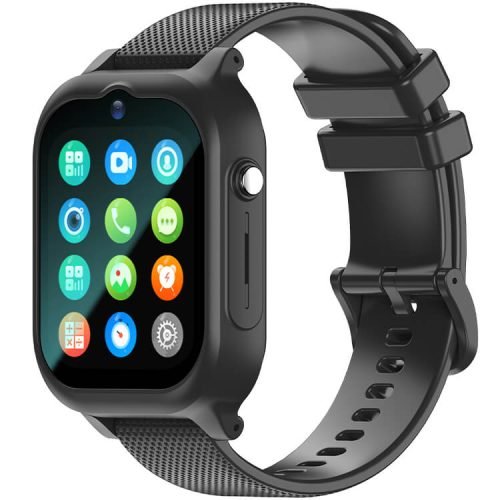
Looking for a kids smartwatch school mode that stays quiet once the bell rings? It’s a real feature on two REXQU watches, not just a line on a spec sheet: the KidView and the KidGuard Pro both let you set hours in the free parent app during which calls, video and notifications go silent, so the watch behaves like an ordinary timepiece for the length of the school day.
What a Kids Smartwatch School Mode Actually Does
A kids smartwatch school mode is a schedule, not a switch you have to remember to flip. You set the start and end times that match your child’s school day in the parent app, and for that window the watch stops ringing, buzzing or lighting up for incoming calls and messages. On the KidView, the same closed system that keeps out random callers year-round — no browser, no app store, no social feed — means there is nothing left to distract from once calls are paused. The KidGuard Pro’s own product page puts it plainly: school mode silences the watch during lessons, and there is nothing to scroll in the first place.
Why This Matters More Than It Used To
School phone policies have gotten stricter. A growing number of states now restrict or outright ban personal devices, including smartwatches, during instructional time — Ballotpedia keeps a running tracker of state-by-state cellphone policies in K-12 public schools if you want to check what applies where you live. A watch that can be scheduled to go quiet on its own means you’re not relying on a seven-year-old to remember to silence it, and it’s one less reason for a teacher to take it away at the classroom door.
Setting It Up Without Losing the Safety Features
Turning on school mode doesn’t turn off the safety features that make these watches worth buying in the first place. Location tracking, safe-zone alerts and the SOS button keep working; what pauses is the ringing and buzzing for ordinary calls and messages during the hours you choose. Both the KidView ($99.97, 1.83″ screen, up to 7 days of standby) and the KidGuard Pro ($109.97, 750mAh battery, IP67 waterproof) set their quiet hours in the same free parent app used for contacts, geo-fence zones and history routes — so it’s one more toggle in a screen you’re already using, not a separate setup to learn.
Which REXQU Watch Fits Your Child’s School Day
If screen size and readability come first — younger kids especially — the KidView’s big 1.83-inch display makes the call button and the SOS button easy to find in a hurry, on top of its scheduled quiet hours. If a longer feature list and the largest battery in the kids range matter more, the KidGuard Pro adds a 15-number approved contact list and a three-number SOS chain alongside the same school-hours setting. Either way, both watches skip the app store and open internet that make a phone a bigger classroom problem in the first place — which is really what a kids smartwatch school mode is protecting against.
Not every REXQU kids watch lists a school-hours schedule the same way — the KidTrack focuses on featherlight tracking and video calling, so if quiet class hours are the deciding factor, the KidView or KidGuard Pro are the two to compare closely.
FAQ: Kids Smartwatch School Mode
Does school mode block the SOS button too? No. Safety features like SOS and location tracking are designed to keep working; school mode only pauses routine calls, video and message alerts during the hours you set.
Can I change the hours for early dismissal or a half day? Yes — the schedule lives in the free parent app, so you can adjust the start and end times any time your child’s day changes.
Do I need to tell the school the watch has a quiet mode? It’s worth mentioning if your school has a device policy, since a scheduled quiet mode is often exactly what those policies are asking for.
See the full lineup on our REXQU Kids Smartwatches page, or compare every feature side by side in the kids smartwatch buying guide before deciding which watch — and which quiet hours — fit your family’s school year.