
If you want a kids smartwatch no games or app store can turn into another screen to fight over, you’re asking the right question before you buy, not after. Plenty of kids “smartwatches” ship with an app store, downloadable games and a feed to scroll — which defeats the point of getting a young child off a screen in the first place. REXQU’s three kids watches — KidGuard Pro, KidTrack and KidView — are built the other way around.
Why a Kids Smartwatch No Games Approach Makes Sense
The appeal of a kids smartwatch is usually safety, not entertainment: a way to reach your child, see where they are, and let them call you without handing over a smartphone. An app store undercuts that goal — once games and a feed are on the wrist, the watch starts competing for attention the same way a phone does, at school pickup, at the dinner table, at bedtime.
That’s the gap a kids smartwatch no games approach is meant to close. Across REXQU’s current lineup, none of the three models — KidGuard Pro, KidTrack or KidView — lists an app store, a games section or a social feed anywhere on its product page. What they list instead is calling, location and safety: 4G video and voice calls, GPS/AGPS/WiFi/LBS positioning, one-press SOS, and (on KidTrack and KidView) safe-zone alerts a parent sets up in the free companion app.
What “Fun, Not Distraction” Looks Like on KidView
KidView is the most explicit about this trade-off. Its product page frames its extras as “Fun, Not Distraction”: three programmable alarm clocks, a built-in calculator for homework, and switchable UI styles so a child can change the watch face — all self-contained on the device, with no app store and no feed to fall into. It’s the difference between a watch with a couple of built-in toys and a watch that’s a portal to an endless supply of new ones.
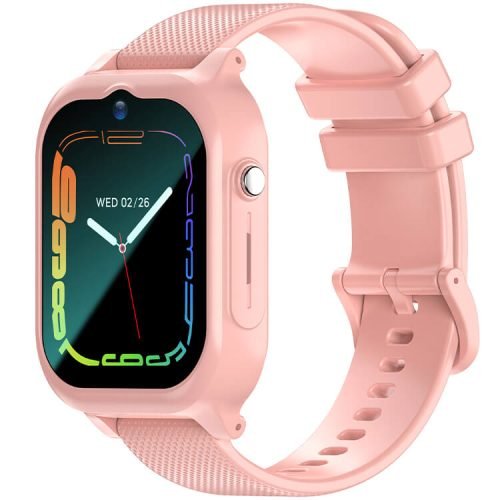
KidGuard Pro and KidTrack keep things even leaner on the entertainment side. KidGuard Pro’s feature list centers on 4G video calling, four-mode location tracking and an SOS button that calls up to three preset numbers in order. KidTrack, at a featherlight 47 grams, adds a wrist camera for photos and voice messages to a family group — still no games, still no app store, just ways to stay in touch that a parent controls.
Comparing the Three Models
| Model | Price | Weight/Battery | Games or App Store? | Built-in Extras |
|---|---|---|---|---|
| REXQU KidGuard Pro | $109.97 | 750mAh, 1–2 days active use | None | 4G video calling, 4-mode GPS, SOS to 3 numbers |
| REXQU KidTrack | $89.97 | 47g, up to 1 week standby | None | Wrist camera, voice messages, sleep & step tracking |
| REXQU KidView | $99.97 | 700mAh, up to 7 days standby | None | 3 alarms, calculator, switchable UI styles |
How This Fits Broader Screen-Time Guidance
A watch with no games or app store doesn’t make screen time a non-issue on its own — a video call or a few minutes checking a step count is still time looking at a small screen. But keeping a child’s watch limited to calling, location and a couple of self-contained tools, rather than an open app catalog, lines up with what pediatric guidance generally recommends for younger children: intentional, limited use rather than open-ended access. The American Academy of Pediatrics’ screen time guidance encourages parents to prioritize purposeful use over passive scrolling, especially for children under about 6 — a bar a games-free kids smartwatch is a lot easier to clear than one with a full app store.
Choosing Between the Three
If you want the most layered safety features and don’t mind the largest case, KidGuard Pro’s four-mode location tracking is the most precise of the three. If a light, low-profile watch matters more — a child who’d resist wearing something bulky — KidTrack’s 47 grams and week-long standby are hard to match. If your child wants a screen they can actually read and a couple of built-in distractions that don’t open onto anything else, KidView’s 1.83-inch display and “Fun, Not Distraction” extras are the closest fit. All three are covered on REXQU’s kids smartwatches page, and REXQU’s full kids smartwatch buying guide walks through the whole range side by side.
Kids Smartwatch No Games: Quick FAQ
Do any REXQU kids watches have downloadable games? No — none of the three current models (KidGuard Pro, KidTrack, KidView) lists an app store or games catalog on its product page.
Does KidView’s calculator or alarms count as an app store? No, these are built-in, fixed tools on the watch itself — there’s nothing to browse, download or add later.
Can my child still get distracted without games? Some — video calls and checking step counts still involve a screen — but without an app store or feed, there’s no open-ended way for the watch to keep pulling attention back.