
A kids smartwatch SOS button is the one feature most parents assume every model has — but how it actually works, and what happens after your child presses it, varies more than you’d expect. Before you buy, it’s worth understanding exactly what triggers, what a trusted contact sees, and what you need to test yourself first.
Quick answer: a kids smartwatch SOS button lets a child trigger an emergency call or alert to a parent-approved contact with one press, using the watch’s own SIM connection and the parent app’s saved contact list. All three current REXQU kids models — KidGuard Pro, KidTrack and KidView — include an SOS function as part of their published feature set.
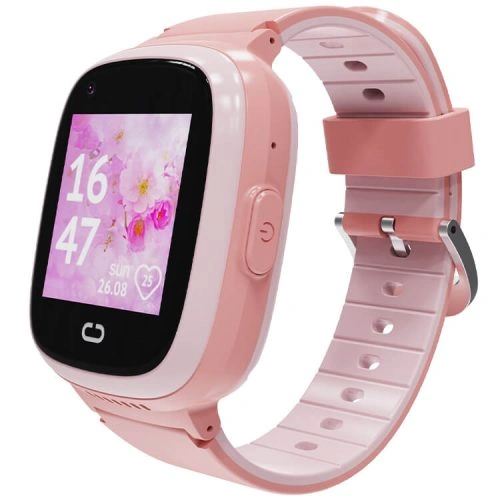
How a Kids Smartwatch SOS Button Actually Works
The kids smartwatch SOS button is designed to be simple enough for a child to use under stress: press and hold a dedicated button (or, on some watches, a specific on-screen icon), and the watch attempts to call or alert the contacts a parent has already approved in the companion app. Because the feature runs over the watch’s own nano-SIM and mobile data connection — the same one used for calls and location tracking — it needs an active SIM, sufficient signal and enough battery charge to work when it matters most.
This is also why parental setup happens before the SOS button is useful at all. A parent adds and orders the trusted contacts, and on most models the watch will try calling through that list until someone answers, rather than dialing one fixed number.
REXQU KidGuard Pro, KidTrack and KidView SOS Comparison
All three REXQU kids watches build their SOS button on the same foundation — parent-managed contacts plus the watch’s own connected calling — but the surrounding feature set differs slightly:
- KidGuard Pro pairs its SOS button with the most layered location tracking in the range (GPS, AGPS, WiFi and LBS positioning), route history and video calling — useful if you want an emergency alert backed by the most precise location data available.
- KidTrack is the lightest and most affordable model, keeping SOS calling and core location tracking without the extra weight of a larger watch — a good fit for smaller wrists.
- KidView has the largest screen at 1.83 inches, which can make the SOS icon and confirmation screen easier for a younger child to find and use correctly.
None of the three is a “better” SOS button in isolation — the difference is really about which surrounding features (screen size, weight, location precision) matter most for your child’s age and routine. For a full side-by-side, see REXQU’s kids smartwatch buying guide.
What to Test Before You Hand Over the Watch
An SOS button is only as reliable as the setup behind it. Before your child relies on it, a parent should:
- Confirm the SIM is active with a data plan and check signal strength in places your child actually spends time (school pickup zone, playground, home).
- Add and re-order the trusted contact list, and make sure the first contact is someone likely to answer quickly.
- Do a real test call — including an actual SOS press, not just a normal call — so you know what an alert looks like on your end.
- Charge the watch fully and check how battery drains with regular use, since a dead watch can’t send an SOS alert.
Consumer safety researchers make a similar point about GPS trackers and kids’ smartwatches generally: features like an SOS button and geofencing are only as good as the account security and setup behind them. Consumer Reports’ guide to child GPS trackers and smartwatches recommends parents check for strong account protections and understand exactly what data the device collects, not just whether an SOS feature exists on the spec sheet.
Setting Realistic Expectations for an SOS Button
A kids smartwatch SOS button is a genuinely useful layer of reassurance, but it depends on network coverage, battery charge and a parent having actually configured the contact list in advance. It isn’t a substitute for teaching a child when to ask a trusted adult nearby for help, and in a true emergency, calling local emergency services directly is still the right first step whenever that’s possible.
Kids Smartwatch SOS Button: Quick FAQ
Does the SOS button work without a SIM card? No — REXQU’s kids watches need an active nano-SIM and data connection for the SOS button to place a call or send location.
Can I choose which contact gets called first? Yes, contact order is managed in the parent companion app, not on the child’s watch.
Does pressing SOS also send location? On models with GPS tracking, an SOS trigger is generally paired with a location update to the parent app — see REXQU’s kids smartwatches category page for model-by-model specifics.