
Checking kids smartwatch route history after the school run is one of the more reassuring habits a parent can pick up — not because you expect a surprise, but because a replayed route confirms the ordinary one. On the REXQU KidView, that history is called track playback, and it is one of the watch’s headline location features.
What Kids Smartwatch Route History Actually Shows
KidView uses multi-satellite positioning to report your child’s location in real time, and the parent app keeps a record of where the watch has been so you can replay the day’s path afterward — not just see a single dot on a map right now. That is the practical difference between a live position and a kids smartwatch route history: one tells you where they are, the other tells you where they went.
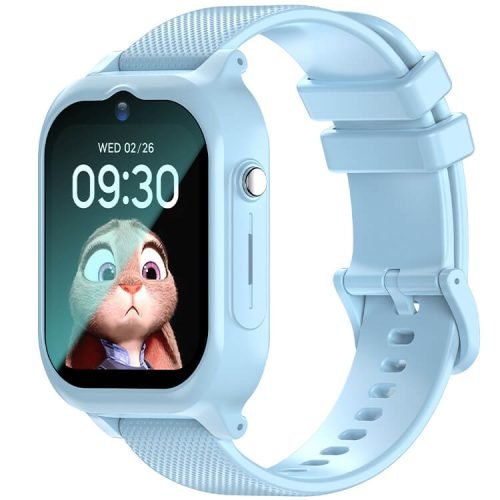
The REXQU KidGuard Pro offers a similar route-history feature through its own combination of GPS, AGPS, WiFi and LBS positioning, so this is not unique to one model — but KidView pairs it with the largest screen in the lineup, a 1.83-inch IPS display with 75% screen-to-body ratio and 2.5D curved glass.
How KidView Builds the Route
Multi-satellite positioning gives KidView a real-time fix, and the watch logs those positions over the day so the app can draw the path as a continuous line rather than a single pin. Add an electric-fence safe zone around school or home, and the same location data triggers an alert the moment that boundary is crossed, alongside the stored route itself.
Location accuracy depends on satellite visibility, so a route logged outdoors in the open will generally be tighter than one recorded inside a large building, where the watch may lean on WiFi or mobile-network signals instead. GPS.gov’s overview of how satellite positioning works is a useful primer if you want to understand why accuracy shifts between open sky and indoors.
Why Route History Matters More Than a Live Dot
A single live location tells you where your child is this second, which is reassuring but incomplete — it does not tell you whether they walked straight home or took a detour, or how long they lingered somewhere before moving on. Kids smartwatch route history fills in that gap by turning scattered location pings into an actual path you can look back over.
That matters most on the days nothing is wrong. Most checks of it are not emergencies; they are a parent confirming the walk from the bus stop looked the way it always does, which is exactly the kind of quiet reassurance the feature is built for.
What Route History Can’t Guarantee
Treat this as a family tool, not a surveillance-grade tracking system. Battery level, signal strength, indoor positioning and whether the watch is actually being worn all affect how complete a recorded route turns out to be, and an SOS or safe-zone alert built into the same watch depends on the same conditions. A kids smartwatch should support supervision, not replace it.
KidView backs its location features with a 700mAh battery listed for up to 7 days of standby and 5–6 hours of call time, a magnetic charger, IPX7 water resistance and an SOS button that calls approved contacts with the current location attached. It sells for $99.97 in three colors.
Route History FAQ
Which REXQU kids watches keep a route history?
KidView offers track playback of the day’s route, and KidGuard Pro offers a comparable route-history feature through its own location tools. Check the current product page for each model’s exact positioning methods before buying.
Does route history work without WiFi?
KidView’s multi-satellite positioning can work outdoors without WiFi, though indoor accuracy may rely more on WiFi or mobile-network signals where satellite visibility is limited. A nano-SIM with an active data plan is required for location reporting and calling.
Can I set alerts instead of checking the route manually?
Yes. KidView’s electric-fence feature sends an alert when the watch crosses a safe-zone boundary you set around places like school or home, in addition to the stored route history you can review in the app at any time.
A kids smartwatch route history turns a single location ping into something far more useful: a picture of an ordinary day, confirmed. Compare KidView against the rest of the lineup in the kids smartwatches collection, or read the complete kids smartwatch buying guide for help choosing the right model.