
Checking kids smartwatch compatibility before you buy saves a return later: all three REXQU models — KidTrack, KidView and KidGuard Pro — pair with a free parent app on both iPhone and Android, and none of them lock you into a subscription to keep working.
Here’s what actually determines kids smartwatch compatibility with your family’s setup, model by model, so you’re not guessing at checkout.
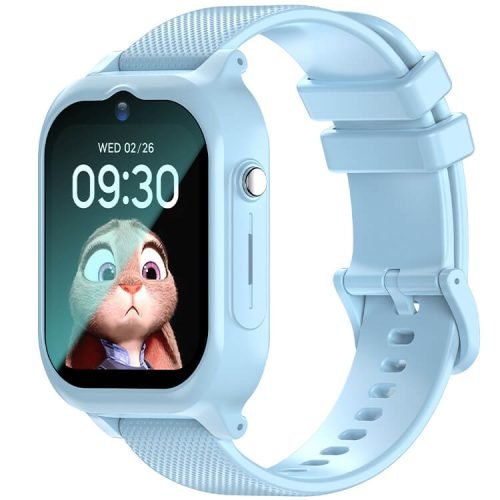
Kids Smartwatch Compatibility by Model: What Each One Needs
All three watches need two things to work: a parent’s smartphone (iPhone or Android) to run the free app, and a nano-SIM card from a supported carrier for the watch itself. Neither requirement changes which model you should pick for your child’s age — it only affects how you get the watch talking to your phone.
The REXQU KidTrack ($89.97) pairs with the free SeTracker2 app on iPhone and Android. Setup is a two-step job: insert the SIM, then pair the app — there’s no separate account creation hoop to jump through, and no monthly fee keeps the pairing alive.
The REXQU KidView ($99.97) uses the same two-phone-OS approach, with one added wrinkle worth knowing about: it supports 4G with 3G and 2G fallback, so it works with most major carriers even outside strong 4G coverage areas. Insert the SIM, pair the free app, and you’re set.
The REXQU KidGuard Pro ($109.97) runs the same free parent app on iPhone and Android as well. From that app you approve contacts, watch the live map and route history, and manage every setting on the watch — all without REXQU charging a subscription on top of the purchase price.
What You Won’t Need to Worry About
None of the three models require your child to have their own phone, email address or app account — the entire setup happens from the parent’s device. There’s no app store, browser or social feed on any of the watches themselves, so compatibility only ever concerns your phone and your carrier, never your child’s access to the open internet.
A quick note on carriers: because these watches rely on standard cellular bands similar to those covered in Wikipedia’s overview of mobile operating systems and the networks phones run on, most major U.S. and Canadian carriers that support nano-SIM data plans will work. Always confirm your specific carrier supports a basic data/voice SIM for a non-phone wearable before buying one, since a handful of carriers restrict SIMs to approved phone models.
A Side-by-Side Compatibility Check
| Model | Price | Parent app OS | Network needs |
|---|---|---|---|
| KidTrack | $89.97 | iPhone & Android | Nano-SIM, standard carrier |
| KidView | $99.97 | iPhone & Android | Nano-SIM, 4G with 3G/2G fallback |
| KidGuard Pro | $109.97 | iPhone & Android | Nano-SIM, standard carrier |
If You’re Setting This Up for the First Time
Kids smartwatch compatibility problems almost always trace back to one of two things: a SIM that isn’t actually activated for data yet, or a parent phone running an operating system version old enough that the app won’t install. Before you buy, confirm your phone is running a reasonably current iOS or Android version, and activate the SIM with your carrier first so it’s ready the moment the watch arrives.
Frequently Asked Questions
Do I need an iPhone specifically, or does Android work too?
Either works. All three REXQU kids models — KidTrack, KidView and KidGuard Pro — support both iPhone and Android through the same free parent app.
Does my child need their own phone number or device?
No. The watch itself carries the SIM and phone number; your child never needs a phone of their own, and you manage everything from your device.
Will any SIM card work?
Most standard nano-SIMs from major carriers work, but confirm with your carrier that they support data/voice SIMs in non-phone wearable devices before you buy, since policies vary.
This guide is written for parents making the purchase decision. It covers device and network compatibility only, not child-development or safety recommendations for your specific family.
Compare all three models in the complete kids smartwatch buying guide, or browse the full lineup on REXQU’s kids smartwatches page.