
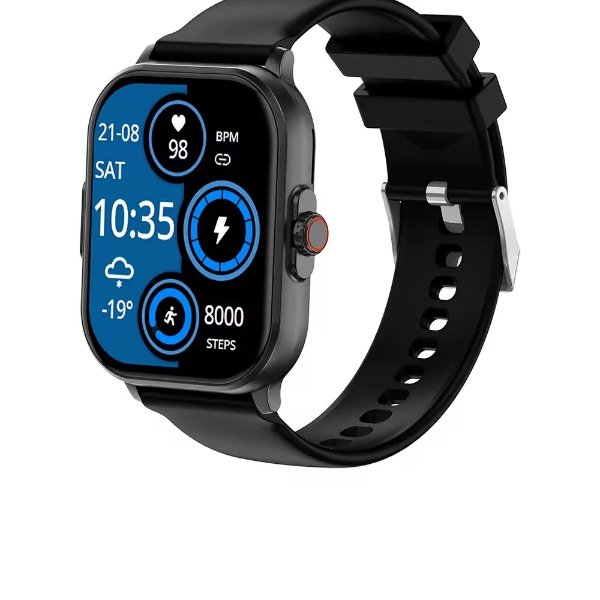
Getting through your first ecg smartwatch setup can feel fiddly if nobody walks you through it — the reading only takes about 30 seconds, but a shaky first attempt or a loose band can throw off the result. Here’s exactly how to pair the watch, take a clean on-demand reading, and avoid the mistakes that cause most “invalid” results on REXQU’s ECG-equipped models like CardioSense, Chronex and CoreX Pro.
This is general setup guidance for wrist-based, single-lead ECG features — it’s a wellness tool for personal tracking, not a diagnostic device, and it doesn’t replace a clinical 12-lead ECG ordered by a doctor.
Pairing the App First
Before you take a reading, the watch needs to be paired:
- Download REXQU’s free companion app and create an account.
- Enable Bluetooth on your phone and follow the in-app pairing steps — REXQU’s ECG models pair with both iOS and Android.
- Update the watch firmware if the app prompts you to; ECG accuracy and app compatibility both improve with the latest firmware.
- Fit the band snugly — one finger-width of slack, not looser. A loose band is the single most common cause of a failed or noisy reading.
Taking Your First Reading, Step by Step
Once the watch is paired, the on-demand ECG process is the same across REXQU’s lineup, whether it’s the 2.01-inch CardioSense, the on-demand waveform on Chronex, or the 30-second reading on CoreX Pro:
- Sit down and rest your arm on a flat surface — a table or your lap works. Movement is the biggest source of noisy data.
- Open the ECG feature in the app or on the watch face.
- Touch the watch’s designated sensor point (the crown or bezel edge, depending on the model) with a finger from your opposite hand.
- Hold still and stay quiet for the full countdown — usually around 30 seconds. Talking, laughing or shifting your arm mid-reading is a common reason a reading gets cut short.
- Review the waveform and summary once the countdown ends, and save it to your history if you want to track it over time or share it with a doctor.
Common ECG Smartwatch Setup Mistakes
Most failed first attempts come down to one of these:
- Cold or dry hands. Poor skin contact weakens the electrical signal. Warm hands and slightly damp skin read more reliably than cold, dry skin.
- Wearing the band too loose. If the watch can spin freely around your wrist, tighten it before trying again.
- Moving during the countdown. Even small wrist rotations or talking can introduce enough noise for the reading to fail.
- Skipping the firmware update. Older firmware is the most common cause of an ECG feature that won’t launch at all.
- Taking a reading right after exercise. Elevated heart rate and sweat both affect signal quality — wait a few minutes to cool down first.
What an On-Demand ECG Reading Actually Shows
Once your ecg smartwatch setup is dialed in, a single-lead wrist ECG records your heart’s electrical rhythm over that ~30-second window — it’s the same basic principle behind a clinical electrocardiogram, just with one lead instead of twelve. That’s useful for spotting rhythm irregularities worth mentioning to a doctor, but it can’t diagnose a heart condition on its own. The American Heart Association’s overview of the electrocardiogram (EKG or ECG) is a solid independent explainer of what the test measures and why doctors use more leads for a full diagnostic picture.
Setup FAQ
Why does my reading say “inconclusive”? Usually a loose band, movement, or cold hands. Retake it seated, still, with the band snug.
How long does each reading take? About 30 seconds on most REXQU ECG models, including CardioSense and CoreX Pro.
Can I share my reading with my doctor? Yes — readings save to the app and can be exported. See our guide on how to share ECG smartwatch readings with your doctor for the full walkthrough.
Once your ecg smartwatch setup is done correctly, taking a reading becomes a genuinely quick habit — sit still, touch the sensor, wait 30 seconds. If you’re still deciding which model to start with, REXQU’s full ECG smartwatch collection compares displays, battery life and pricing side by side.
REXQU watches are consumer wellness devices, not medical devices, and are not intended to diagnose, treat, cure or prevent any disease. Always consult a healthcare professional about medical concerns.