
Squinting at your wrist in bright daylight usually comes down to one spec buyers rarely check: smartwatch screen brightness outdoors is mostly a function of nits, the unit used to measure how much light a display puts out.
What Nits Have to Do with Smartwatch Screen Brightness Outdoors
A nit measures luminance — roughly, how much light per square meter a screen emits. Most desktop monitors run 200–300 nits, which looks fine indoors but washes out under direct sun. According to Wikipedia’s overview of high-brightness, sunlight-readable displays, screens built for outdoor visibility “typically provide at least 800 nits of brightness,” roughly three to four times what a typical indoor screen needs.
How Bright Is Bright Enough?
When people ask about smartwatch screen brightness outdoors, they’re really asking whether a display can compete with direct sunlight instead of getting washed out by it. That 800-nit benchmark isn’t arbitrary — it’s the point where a display’s output starts to hold its own against ambient outdoor light. Below that, an AMOLED panel can still look sharp on a cloudy day or indoors but will dim into near-illegibility in direct midday sun, which is exactly the situation a smartwatch is most likely to face on a run, a hike, or a walk to lunch.
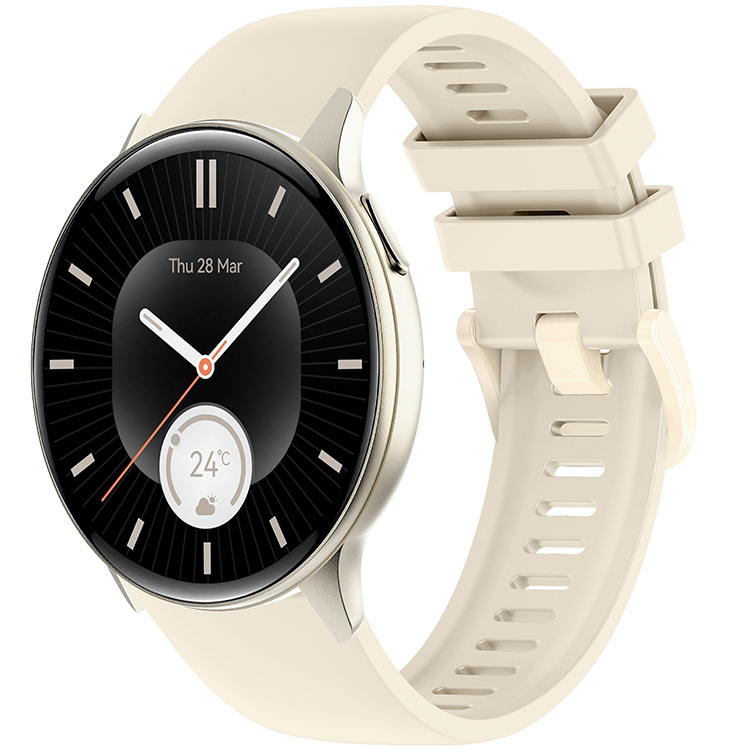
REXQU Verve’s 800-Nit AMOLED Display
Among REXQU’s everyday-style watches, the REXQU Verve ($129.97) is built specifically around this benchmark: its 1.43-inch AMOLED display is rated at 800 nits, putting it right at the threshold most sunlight-readable displays are designed to hit. It pairs that display with heart rate, blood pressure and blood oxygen monitoring, 100+ sport modes, and 1ATM water resistance, plus Bluetooth calling and music control from the wrist. For everyday wear that moves between desk, errands, and outdoor time, that brightness spec matters more than most other specs on the page.
Other Ways to Improve Outdoor Visibility
Brightness isn’t the only lever. A darker watch face with high-contrast text reads more easily in sun than a busy, colorful one, and most REXQU watches let you switch faces on the fly. Raise-to-wake and always-on settings also affect how often the display is actually producing its rated brightness versus sitting dim to save battery — worth checking in the watch’s display settings if outdoor readability matters more to you than battery life. You can compare the Verve against other everyday-style options on the REXQU everyday smartwatch page.
The Bottom Line
Smartwatch screen brightness outdoors is one of the more overlooked specs on a spec sheet, but it’s a real, measurable one. Look for displays in the 800-nit range if you spend real time outdoors, and don’t assume every AMOLED panel hits that mark just because the technology is the same — REXQU lists brightness specifically on the Verve because it’s designed to compete with daylight, not just look good in a product photo.
Frequently Asked Questions
Is a higher-nit display always better?
Not necessarily — higher brightness usually costs more battery life, so a display that’s brighter than you need for typical use just drains the watch faster. The 800-nit range is a practical sweet spot for most outdoor conditions rather than a “more is always better” spec.
Does screen brightness affect indoor visibility too?
Only marginally. Indoors, contrast and resolution matter more than raw brightness, since ambient light is far lower than direct sunlight. Smartwatch screen brightness outdoors is really the scenario where the nit rating makes the biggest visible difference.
Can I manually boost brightness beyond the rated nits?
Most watches, REXQU’s included, cap brightness at the display’s rated maximum — the 800-nit figure represents the ceiling, not a default you’re missing out on by not adjusting a slider.