
Screenless fitness tracker controls confuse a lot of first-time buyers, mostly because the question sounds bigger than the answer. There is no home button, no swipe menu, and no settings screen to dig through. Most of what a band like the REXQU AeroBand does happens automatically in the background, and the handful of things that need a deliberate action from you use touch, a long press, or a buzz on the wrist instead of a display.
Screenless Fitness Tracker Controls: The Short Answer
Screenless fitness tracker controls break down into three categories: things the band does on its own with no input from you, things you trigger with a touch or a press, and things the companion app handles once the data reaches your phone. Heart rate, HRV, SpO₂, body temperature and sleep tracking all run continuously with zero interaction required. You only need to physically “do” something for a small number of on-demand features, and REXQU keeps that list short on purpose — a band with a dozen gestures to memorize defeats the point of leaving the screen off in the first place.
What Happens Automatically, With No Input From You
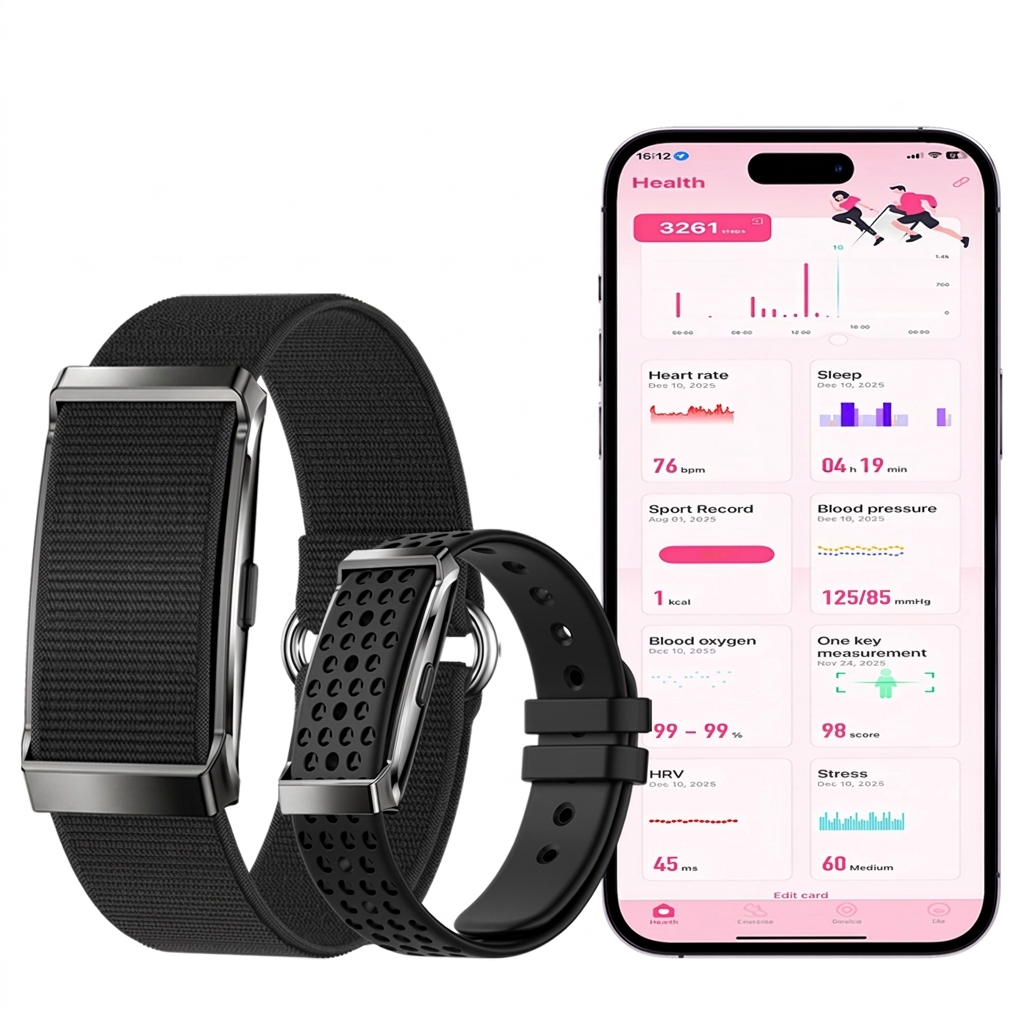
The bulk of a screenless band’s job needs no button at all. Continuous heart rate, 24-hour HRV, cuffless blood-pressure wellness estimates, blood oxygen and sleep stages are all logged in the background across the REXQU screenless tracker range, whether the band is on your wrist during a workout, a workday or overnight. Step counts and sport modes work the same way — the sensor package inside the band records the data, and it simply waits in local memory until your phone is nearby to sync it. There is nothing to start, stop or configure on the band itself for any of this.
The One Physical Control Most Models Have: Press and Hold for SOS
The clearest exception is the SOS function on the REXQU GuardBand. Press and hold the band and it triggers an emergency alert to your chosen contact along with your live GPS position, sent through the paired phone. Fall detection on the same band works the opposite way: if the accelerometer recognizes the acceleration and impact pattern of a hard fall, it starts that alert automatically, with no button press needed at all. That combination — a manual long-press backup plus an automatic trigger — is deliberately the only two-state control on the whole device.
Touch the Sensor: How On-Demand ECG Works Without a Screen
Two models in the lineup add an on-demand wellness ECG, and the trigger for it is a touch rather than a button. On the REXQU PulseBand, you rest a finger on the band’s sensor and it records an electrocardiogram trace, which the G BAND app then analyzes. The REXQU CardioBand works the same way: open the ECG feature in the app, touch the band’s sensor, and stay still while it records a single-channel wellness waveform. Neither reading is a diagnostic electrocardiogram, and REXQU is upfront that it should not be used to detect or rule out a heart condition — it is a personal record you can save and show a clinician if you want a second opinion.
Your Phone Is the Real Interface
Every reading, trend and setting lives in the G BAND app, which is really where screenless fitness tracker controls end up living day to day. Notifications, alert thresholds, sport-mode selection and historical charts are all handled there instead of on the band. That is also where haptic feedback comes in: a short vibration on the wrist is the band’s only way of flagging something — a high heart-rate alert, a low-oxygen reading, or an incoming call — without a screen to display it on. This kind of vibration-based signaling is a well-established form of haptic feedback, the same principle phones use for silent notifications.
Controls By Model, at a Glance
| Model | Manual Control | Automatic Feature | Alert Method |
|---|---|---|---|
| REXQU AeroBand | None — fully passive | Heart rate, SpO₂, sleep, sport modes | Vibration, app |
| REXQU PulseBand | Touch sensor for ECG | 24/7 HR, 24-hour HRV, sleep | Vibration, app |
| REXQU CardioBand | Touch sensor for ECG | HR, HRV, cycle tracking, sleep | Vibration, app |
| REXQU GuardBand | Press-and-hold for SOS | Fall detection, GPS, HR, sleep | Vibration, app, live GPS |
Screenless Fitness Tracker Controls FAQ
Do I need to press anything to start tracking sleep or steps?
No. Those run continuously in the background on every model in the range, with no setup step required each night or each day.
What if I want to check my heart rate right now, not later?
Open the G BAND app. The band is already recording continuously, so the current reading is a phone-app lookup rather than something you request from the band itself.
Can the band vibrate for phone notifications too?
Yes, on models with notification support in the app settings, though exact notification types vary by band, so check the individual product page before buying if that matters to you.
If a display-free wearable still sounds like it might frustrate you day to day, it usually comes down to how few screenless fitness tracker controls there actually are: one optional long-press, one optional touch-to-record gesture, and an app that does the rest. Compare the full lineup on the REXQU screenless fitness tracker page, or start with the GuardBand if the press-and-hold SOS feature is the deciding factor for you.
REXQU smartwatches and bands are wellness devices intended for general fitness and wellbeing purposes. They are not medical devices and are not intended to diagnose, treat, cure or prevent any disease. Readings, including ECG and blood-pressure wellness estimates, are for personal reference only — always consult a healthcare professional about medical concerns.